
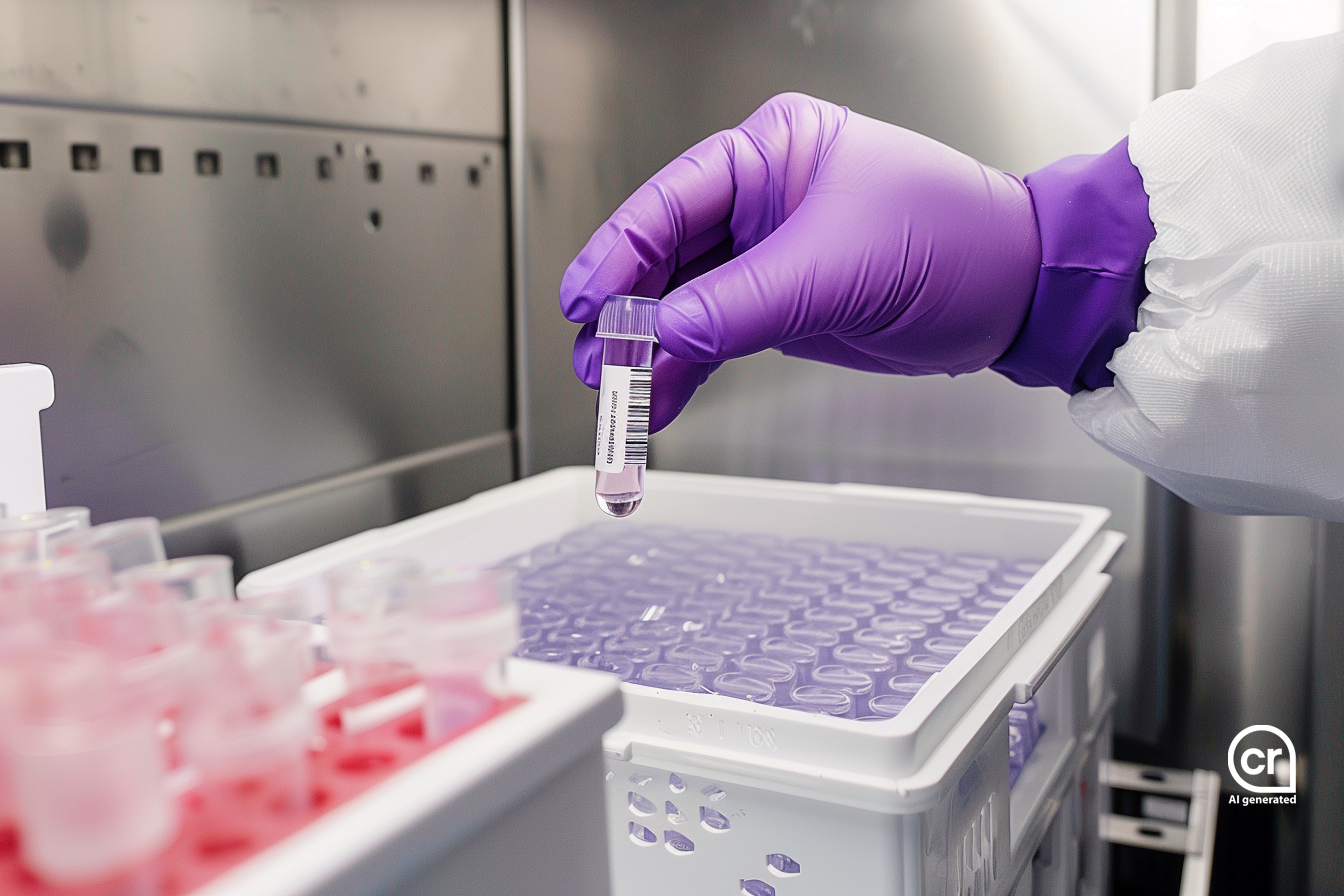
The LIMS for biobanking
Achieve maximum efficiency and reliability in sample storage and management with SAMPLES
The requirements for your biobanking solution range from efficient sample and data management, strict compliance and maximum security of sensitive data to an intuitive and modern user interface?
SAMPLES offers even more. As a highly flexible LIMS and Lab Execution System, it not only offers a wide range of needs-oriented features, but can also be optimally integrated into your existing IT environment thanks to its modern and open software architecture.
SAMPLES also connects you to the desired applications and devices, offering maximum performance and connectivity for your laboratory.
- Tissue / FFPE
- DNA / RNA
- Blood Samples
- Soil Samples
- Water Samples
Use cases in practice
Biomarker Discovery
Biotype GmbH develops molecular genetic test kits for oncology and manages their biobank samples with SAMPLES. For development, the company relies on various sample types, each requiring different storage conditions. The top priority is the unambiguous assignment of all samples and their results.
SAMPLES Highlights
Compliance | Storage Recommendations | Copying Sample Boxes | Recording and Analyzing Results | Plate Handling
Clinical Traits
The University Hospital Dresden manages over 30,000 samples for clinical studies using SAMPLES. The samples are collected from patients, recorded in clinical trial software, and transferred to SAMPLES via an HL7 interface. The arrival at the laboratory is confirmed by barcode, and the samples are stored accordingly.
SAMPLES Highlights
Inventory Recommendations | HL7 FHIR Interface to the Hospital | Incoming Scan via QR Code | Clinical Trials | Patients
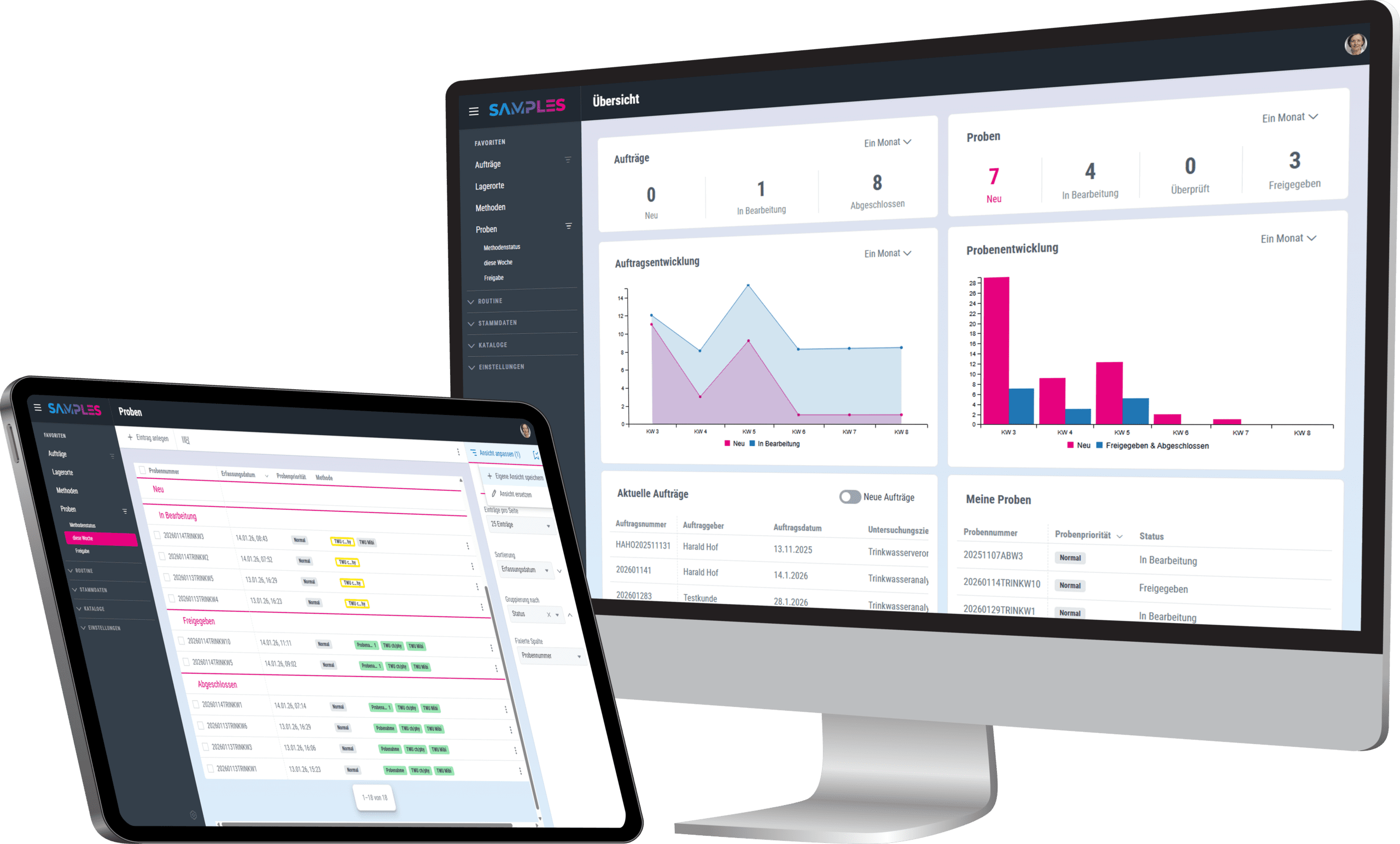
SAMPLES is modern, comprehensive biobanking
With SAMPLES you always have all sample information to hand. The application assists you intuitively and clearly through your daily laboratory routine.
Thanks to a wide range of customization options, you can adapt SAMPLES easily, quickly and flexibly to your requirements. Create your own order with number series, barcodes, sample types, studies or a sophisticated storage system.
The highlights for your biobanking
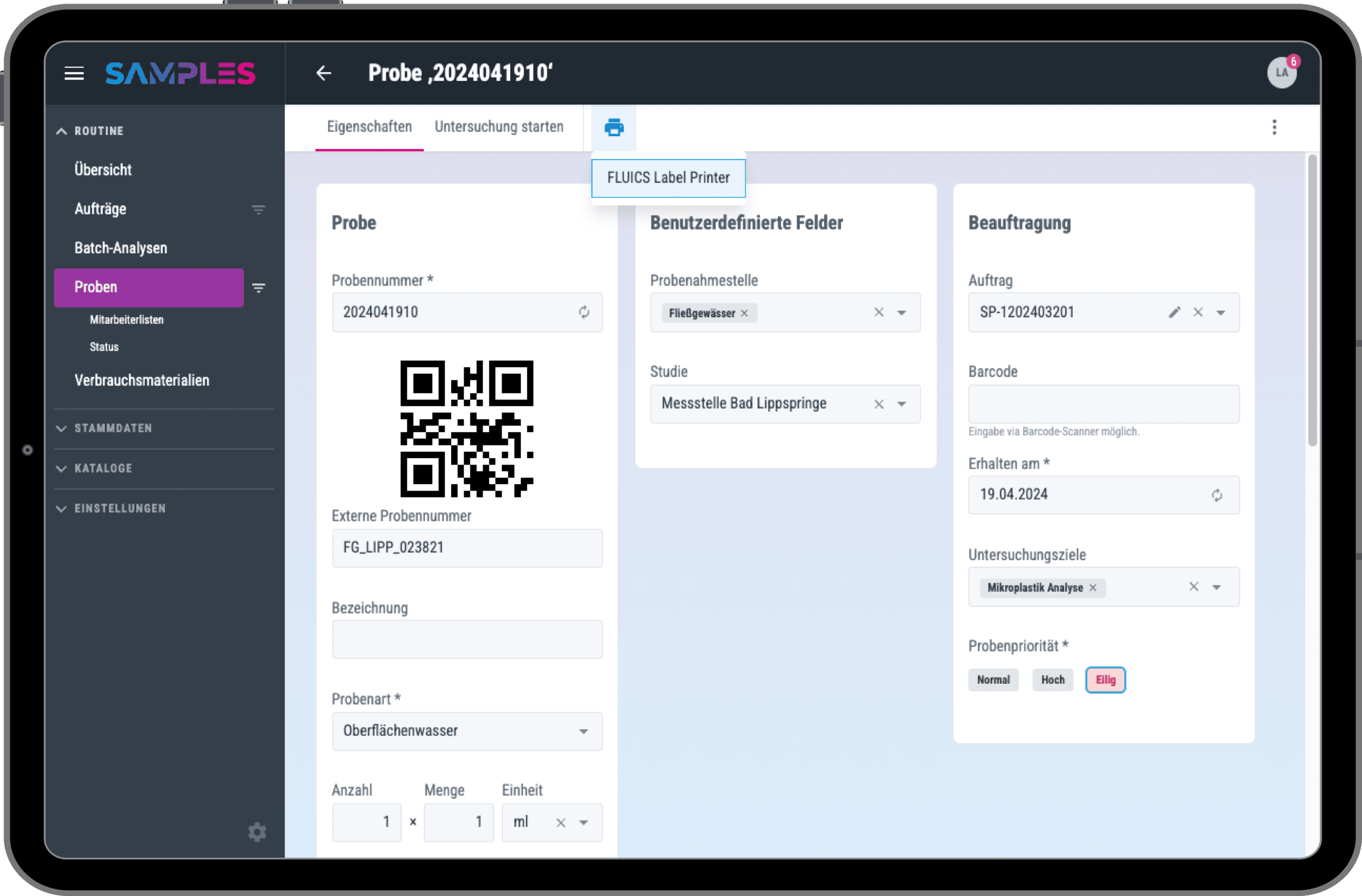
Barcodes
SAMPLES naturally supports the use of barcodes, as well as the integration of barcode scanners and barcode printers.
Each sample receives its own barcode. This ensures it can be unambiguously assigned and identified at any time. You can easily configure how exactly the underlying sample numbers are defined and created in SAMPLES.
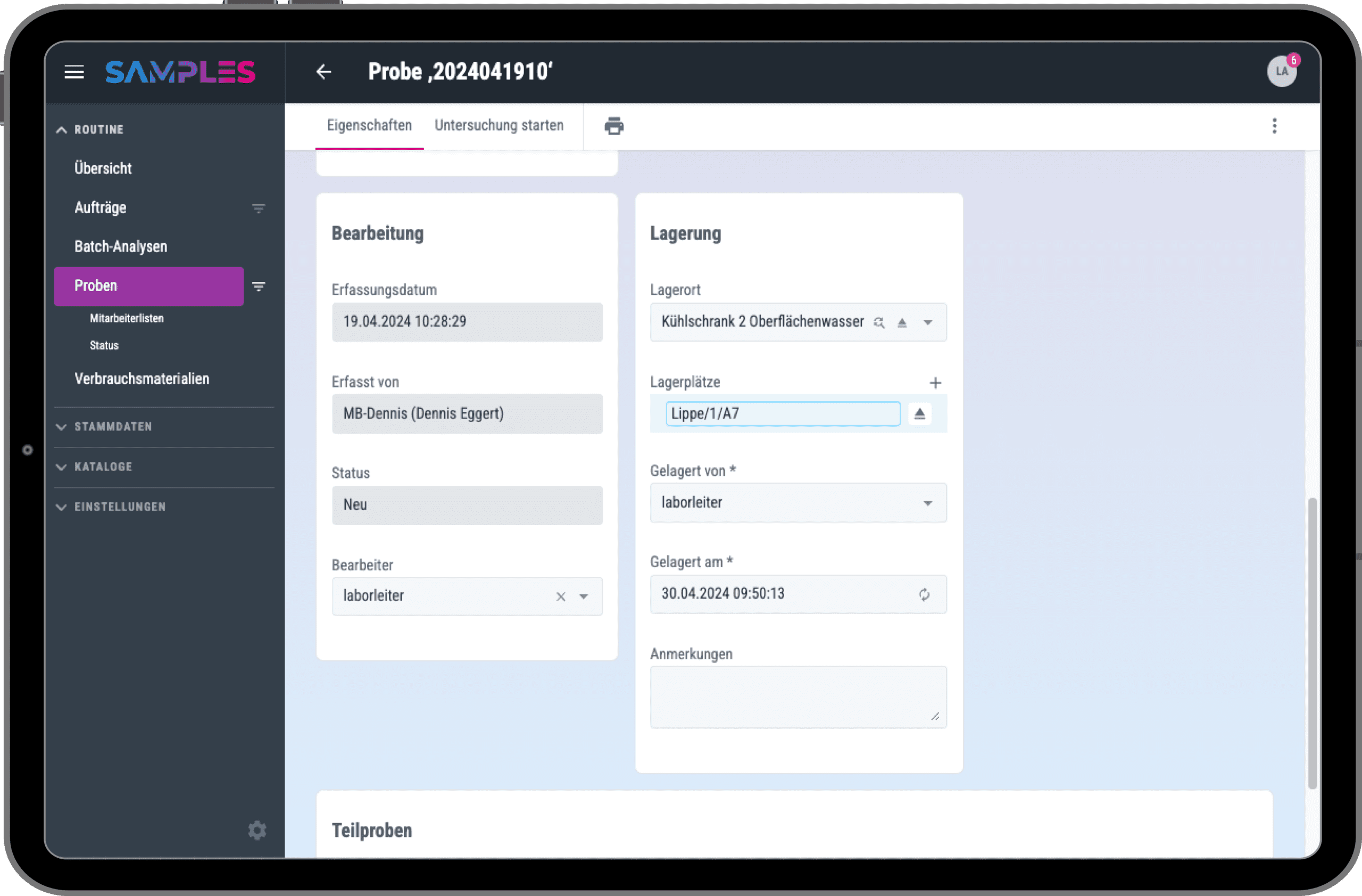
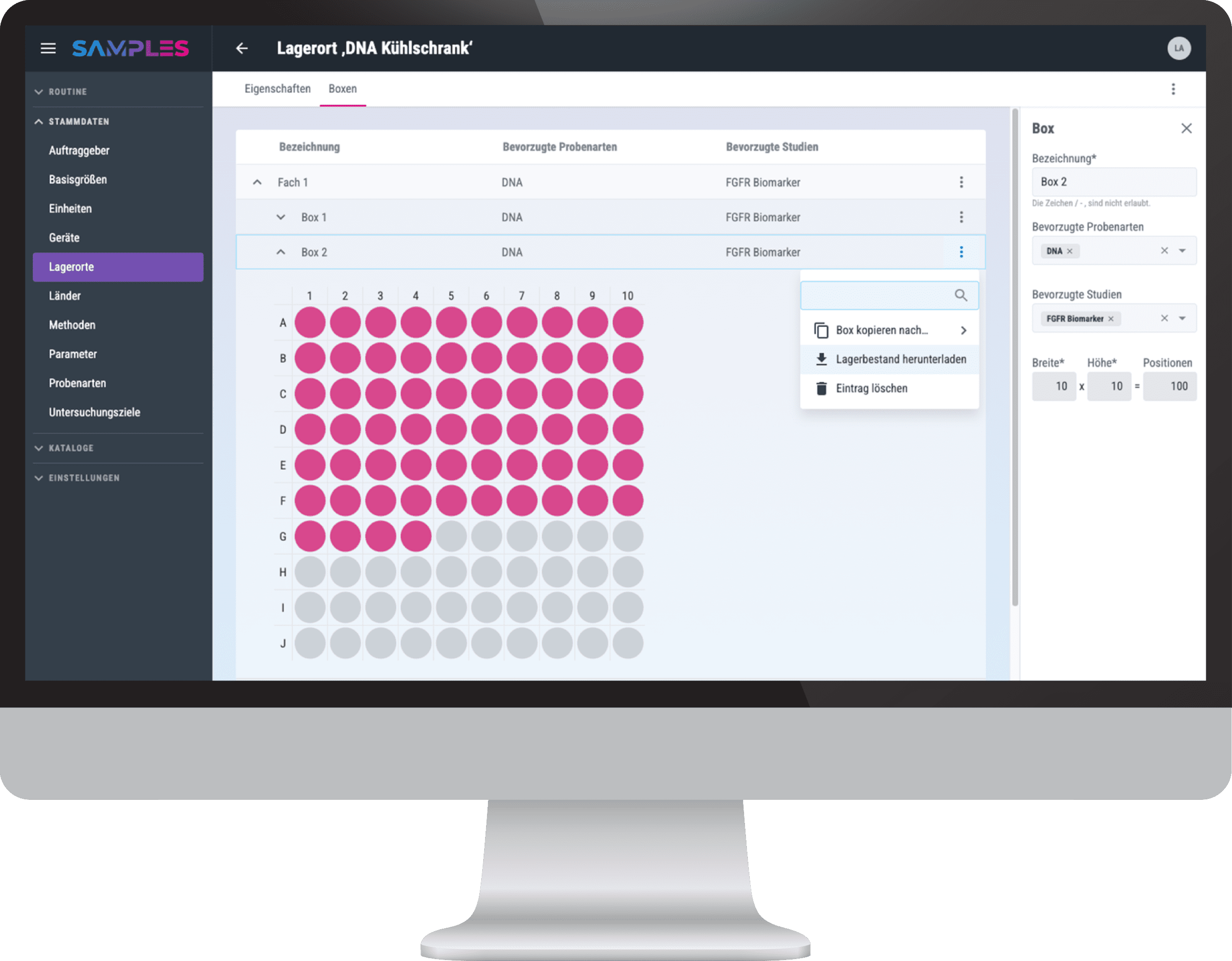
Automatic Storage Recommendations
The reliable and transparent storage of your samples is particularly important to you. With SAMPLES, you can easily sort your samples into storage locations, compartments and boxes.
SAMPLES automatically suggests where the next free space for your sample is. The application takes into account the specifics of your sample and makes a storage suggestion based on the sample type and study or project.
Orders, Test Plans, and Interfaces
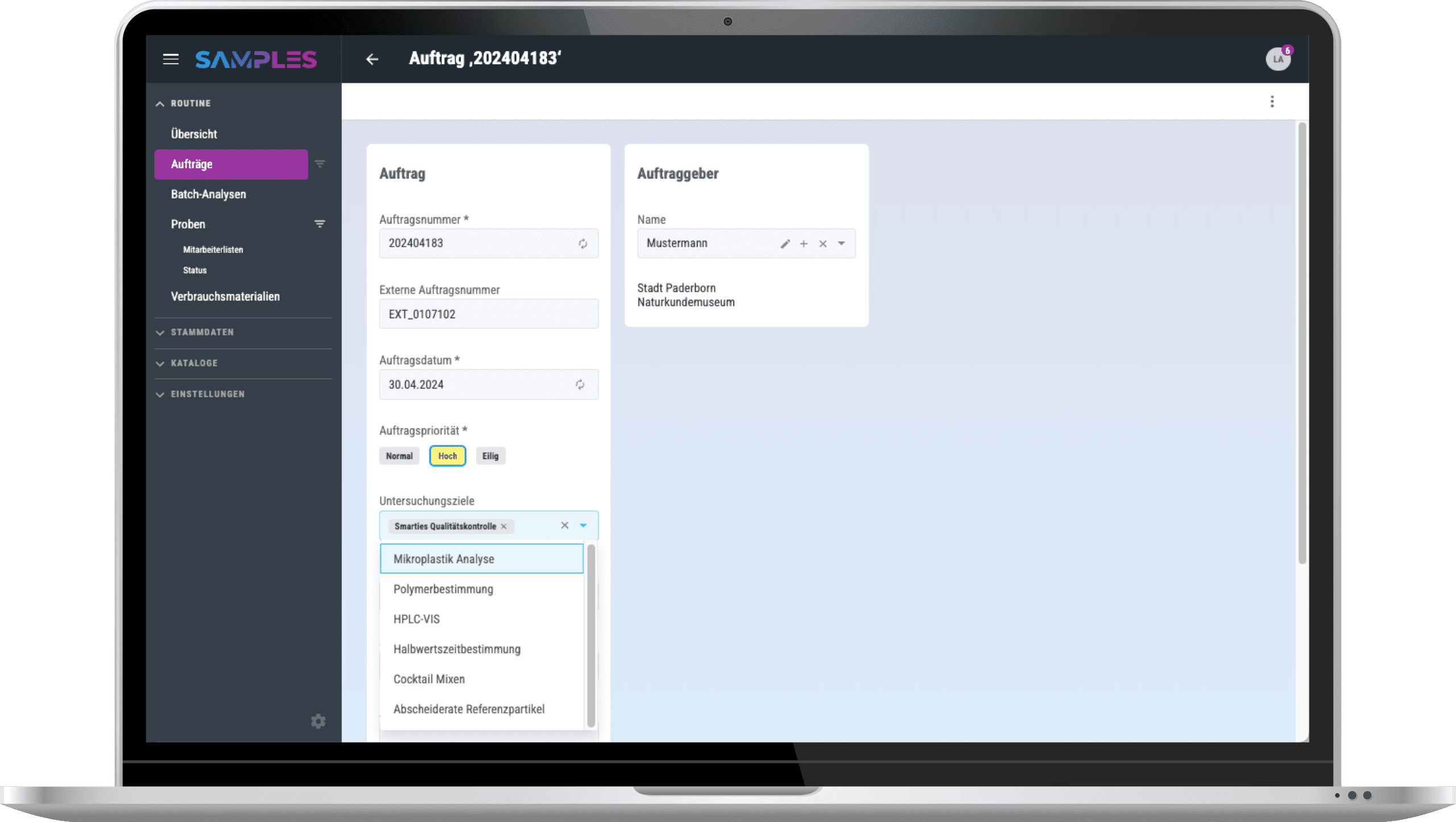
With SAMPLES, you can define which tests are to be carried out on each of your samples with just a few clicks.
If your samples originate from external test orders, they can easily be analyzed via an interface such as via an interface such as HL7 FHIR. Through this secure data exchange, the test results can be sent back to the client when needed.
- Storage Recommendations
- Export Storage Lists
- QR Codes
- HL7 FHIR
- Number series
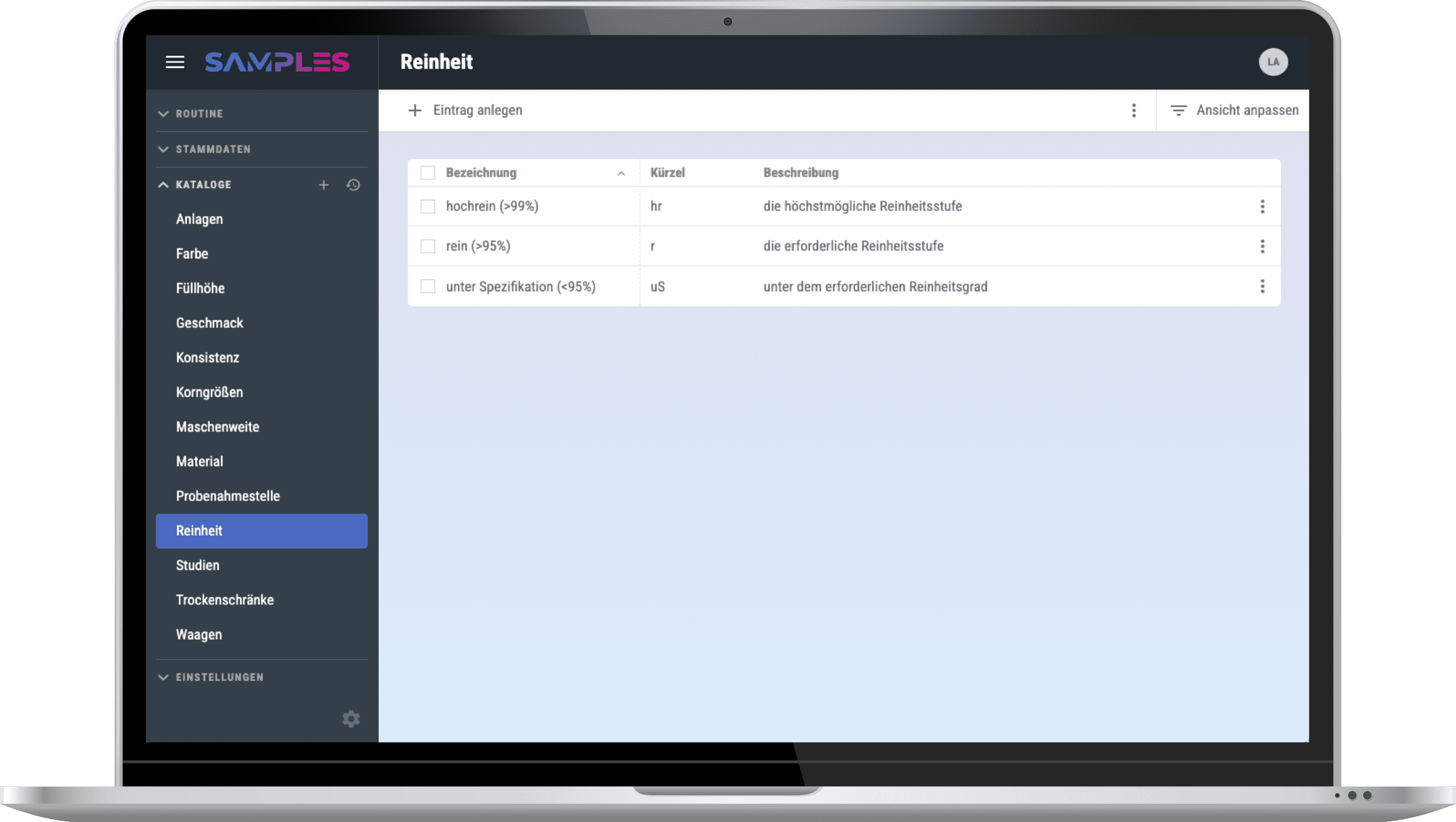
Individual configuration
Every laboratory is different. This is why you can easily set up everything yourself in SAMPLES according to your requirements: Parameters, methods, sample types, studies, etc.
SAMPLES not only offers you full flexibility for standard processes. For individual processes or spontaneous additional information, simply use the freely configurable fields and catalogs of SAMPLES.
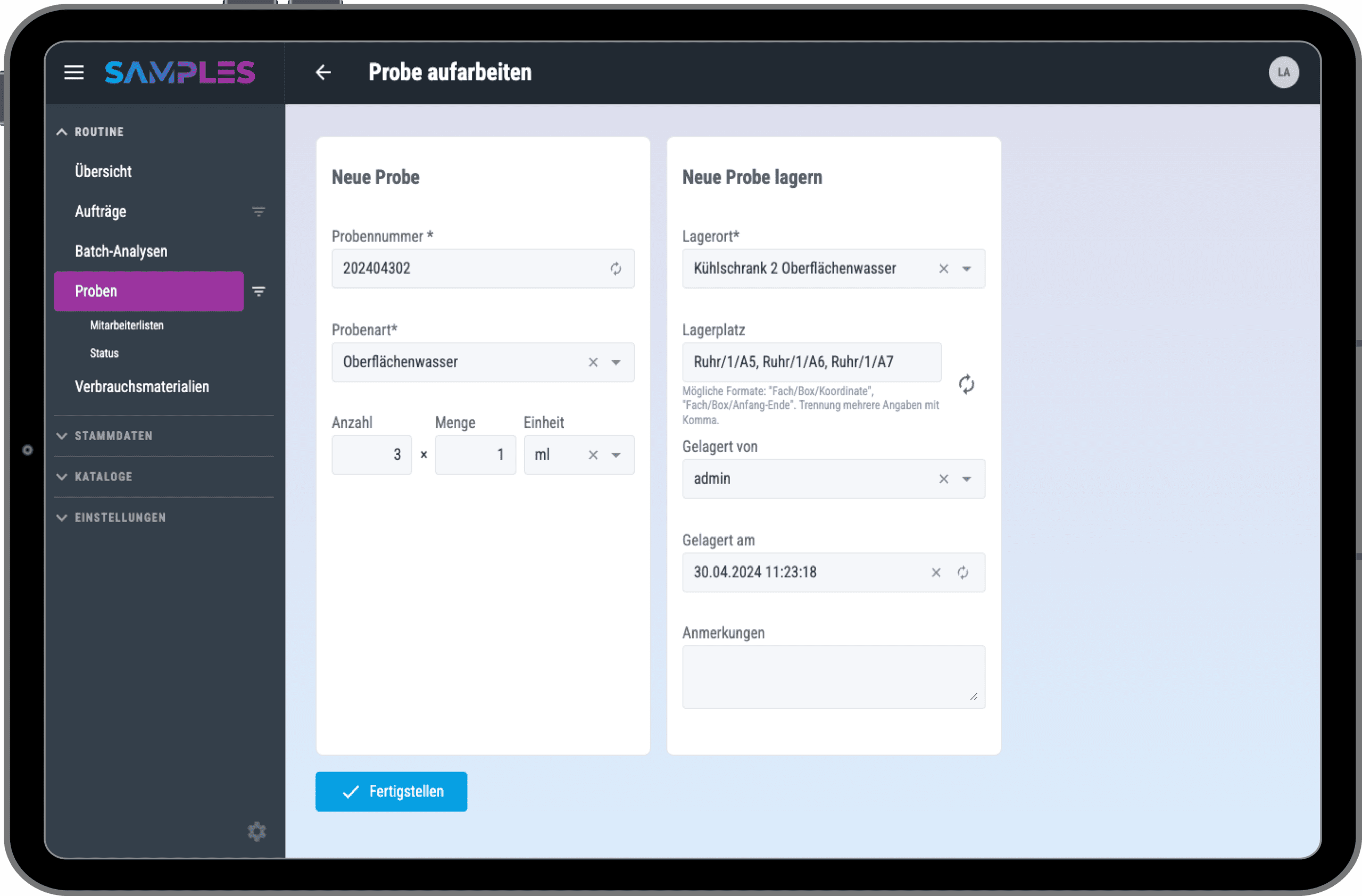
Subsamples and Aliquots
With SAMPLES, you can also track the distribution of your samples and reliably trace the child samples at any time.
You can store aliquots of the same sample at different storage locations if required.
SAMPLES also allows you to decide for yourself whether a sample is used up during the test or remains in place.
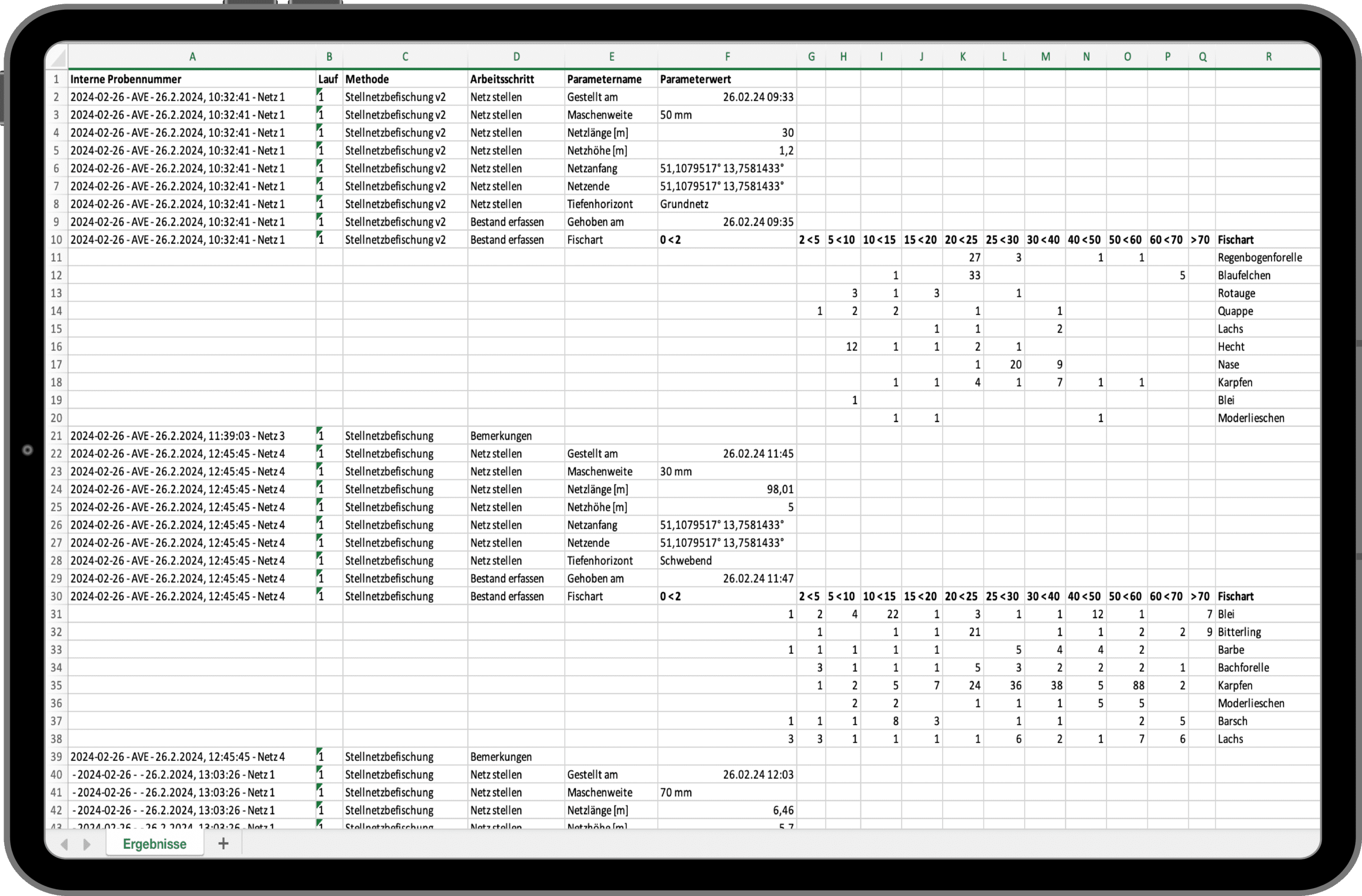
Data Export and Analysis
SAMPLES offers you complete freedom for your data. If required, you can easily export sample lists, storage location allocations and all your measurement results to Excel at any time for further use.
Do you use software for evaluations that you would like to continue using? Python-based analysis scripts, written in Jupyter Notebook can be integrated into SAMPLES and enable direct exchange. Please feel free to contact us.
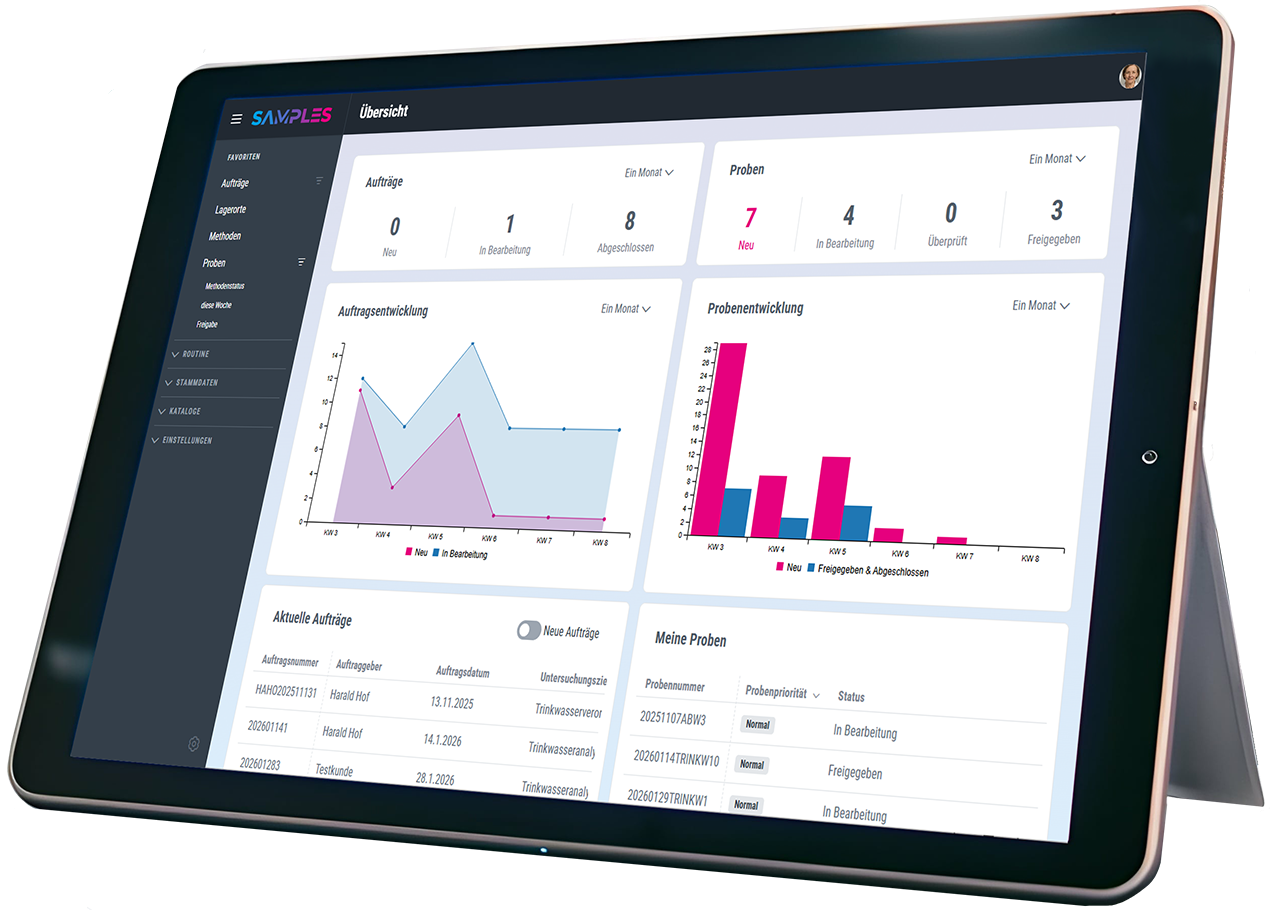
Experience & test SAMPLES now!
We invite you to experience the award-winning SAMPLES in a compact live demo. If you are interested, you can also test SAMPLES free of charge and without obligation. We look forward to your registration.

Personal is better…
Do you have questions or are you unsure to what extent SAMPLES can meet your needs? Let’s get talking. I look forward to the exchange.
Frequently asked questions
Make an appointment for an initial consultation. We will address your concerns and clarify all the important points. We will take the time to answer your individual questions.
What is SAMPLES and how can it help my laboratory?
SAMPLES is a Laboratory Information Management System (LIMS), but also a Lab Execution System (LES).
Depending on how you use it, you can use SAMPLES to manage all the information about your laboratory equipment (devices, consumables, methods, etc.) and the laboratory routine, i.e. the samples and details of their analysis. You can even automate your processes by connecting devices and other software systems.
What kind of samples and data can I manage with SAMPLES?
From wastewater to pull samples, there’s a place for everything. SAMPLES is the chameleon of LIMS systems. Essentially, all departments can be set up with their specific instruments, methods, and sample types. Do you have special parameters? No problem—you can even configure measurement variables and units yourself and add to them at any time!
Is the LIMS compatible with other systems used in the laboratory?
Of course. SAMPLES is an absolute team player! Depending on which interface the other system offers, we can implement the connection to all possible systems (ERP, CRM, order portals, etc.). Connection to device and measuring systems for the automation of your laboratory processes is also possible.
How do I start setting up SAMPLES?
As a rule, it makes the most sense to start with a laboratory process incl. of all master data, etc. in SAMPLES and to refine it over a test period. With the knowledge gained, it is easy to gradually transfer further processes.
Although the system makes setup easy, it still takes some time to get everything set up. No problem! We also offer system setup as a service. You decide the scope—anything is possible, from basic assistance to a complete setup.
Can I import existing data into the LIMS and how does it work?
Yes, in principle you can import existing data at different points. The decisive factor here is the form in which the required data is available. We are happy to support you with this as part of the system setup.
How can I generate and customize reports?
Once the measurement results have been approved, you can create a report for each order. To do this, you need just one click to automatically generate and attach a PDF report from the stored template. You can even change the data that appears in the report during the test.
What operating models are there?
SAMPLES is usually hosted on our Microsoft Azure Cloud. However, if necessary, it can also be rolled out on premise on your servers.
How does the LIMS secure my data and guarantee data protection?
As part of our quality and IT security management, we place the highest value on the security of your data.
The systems are usually hosted on our Microsoft Azure Cloud and benefit from Microsoft’s high security standards. However, if necessary, they can also be rolled out on premise on your servers.
In cloud mode, the data can be stored either in Western Europe (standard hosting) or on servers in Germany (premium hosting).
What happens if I do not have a connection to the Internet?
SAMPLES is a web application. Data created in SAMPLES is stored online or in your internal network if you opt for the on premise version.
A stable Internet connection is required for cloud operation. We offer an optional offline-capable app for sampling.
How are updates and upgrades for SAMPLES handled?
SAMPLES is alive and growing. Our development team works daily to add and improve features. Technical updates are provided on a regular basis and we offer extended functionality as an optional upgrade.
What training options are available?
Sure! In addition to a manual in the app and video tutorials in our media library, we also offer training courses with our service partners. Whether at your premises, at one of our locations or remotely – we will find a suitable solution!
What kind of technical support is available?
In addition to assistance from our support team, we also offer help for self-help: you can find video tutorials for many work steps in our media library.