

The LIMS for materials testing
SAMPLES ensures maximum efficiency in materials testing because it is probably the first LIMS that really knows its way around materials. From atomic force microscopy to tensile testing – SAMPLES helps you to keep an eye on your equipment, methods and samples at all times.
- Mechanical testing
- Powder analysis
- Microstructure and structural analysis
- Material-specific preparation
- Standard-compliant testing
Avoid media discontinuities and insular knowledge
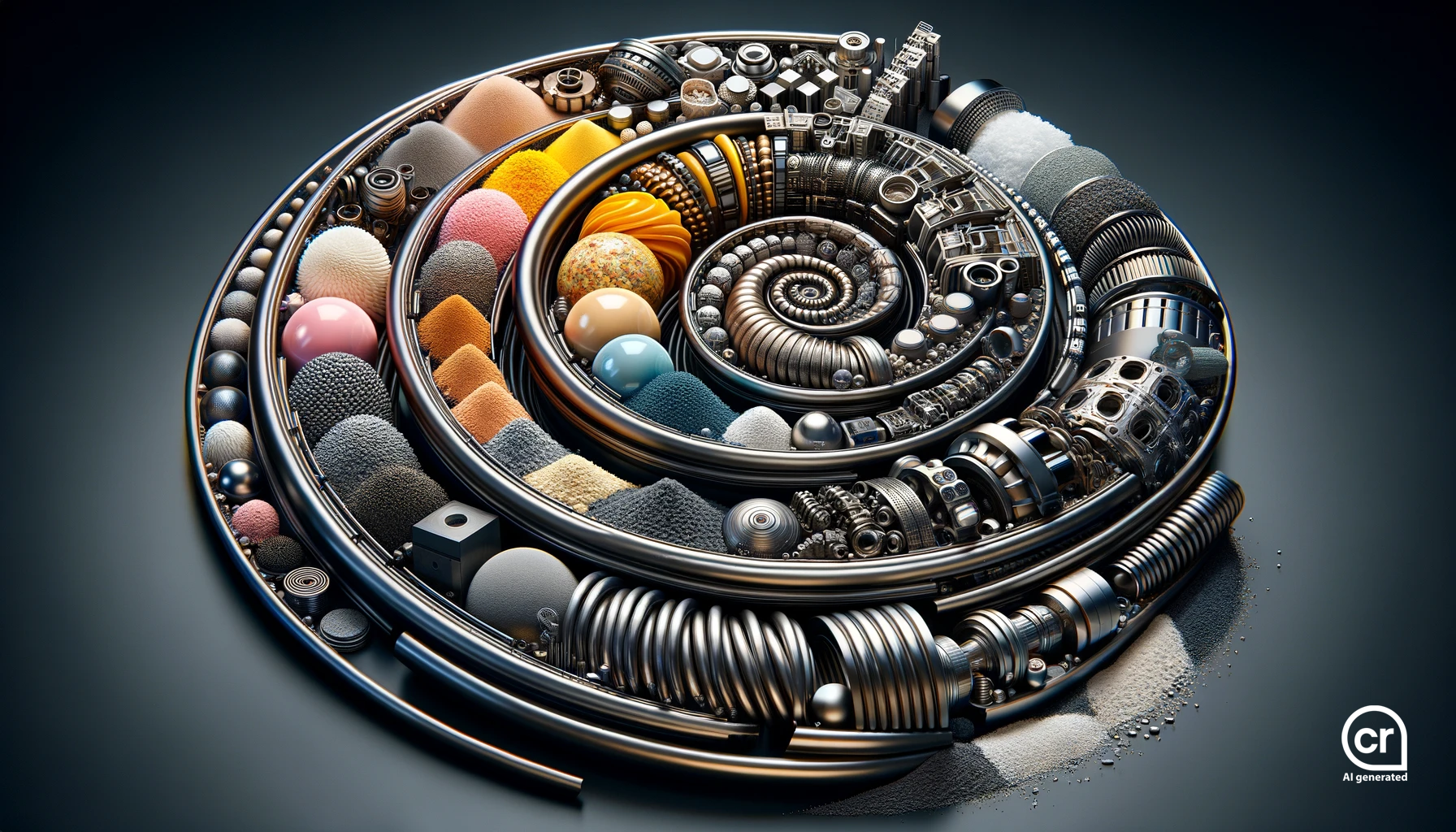
The world of materials is highly complex. Depending on its composition, production and pre-treatment, each material has individual requirements for preparation and analysis.
Efficient and successful laboratory work often depends on highly experienced employees who have developed a feel for certain materials over many years. If they fail, it becomes difficult.
Insular knowledge is an incalculable risk, especially for time-critical projects and orders.
- Versioning
- Photo documentation
- User-defined fields
- Sharing methodological knowledge
- Working on the Go in the Lab
Use cases from practice
Powder characterization in the accredited test laboratory
Our customer uses various methods to characterize powder samples of different material classes for its own research department but also as a contract laboratory.
SAMPLES Highlights
Standardized Procedures | Photographic Documentation | Fractionation | Instrument Integration
Mechanical testing with individual test procedure
A testing laboratory has developed its own method for the minimally invasive determination of strength values. The results are calculated from the measurement data using a complex algorithm.
SAMPLES Highlights
Integration of External Data Analysis | Test Equipment Management | Method Versioning
A better overview in the complex world of materials
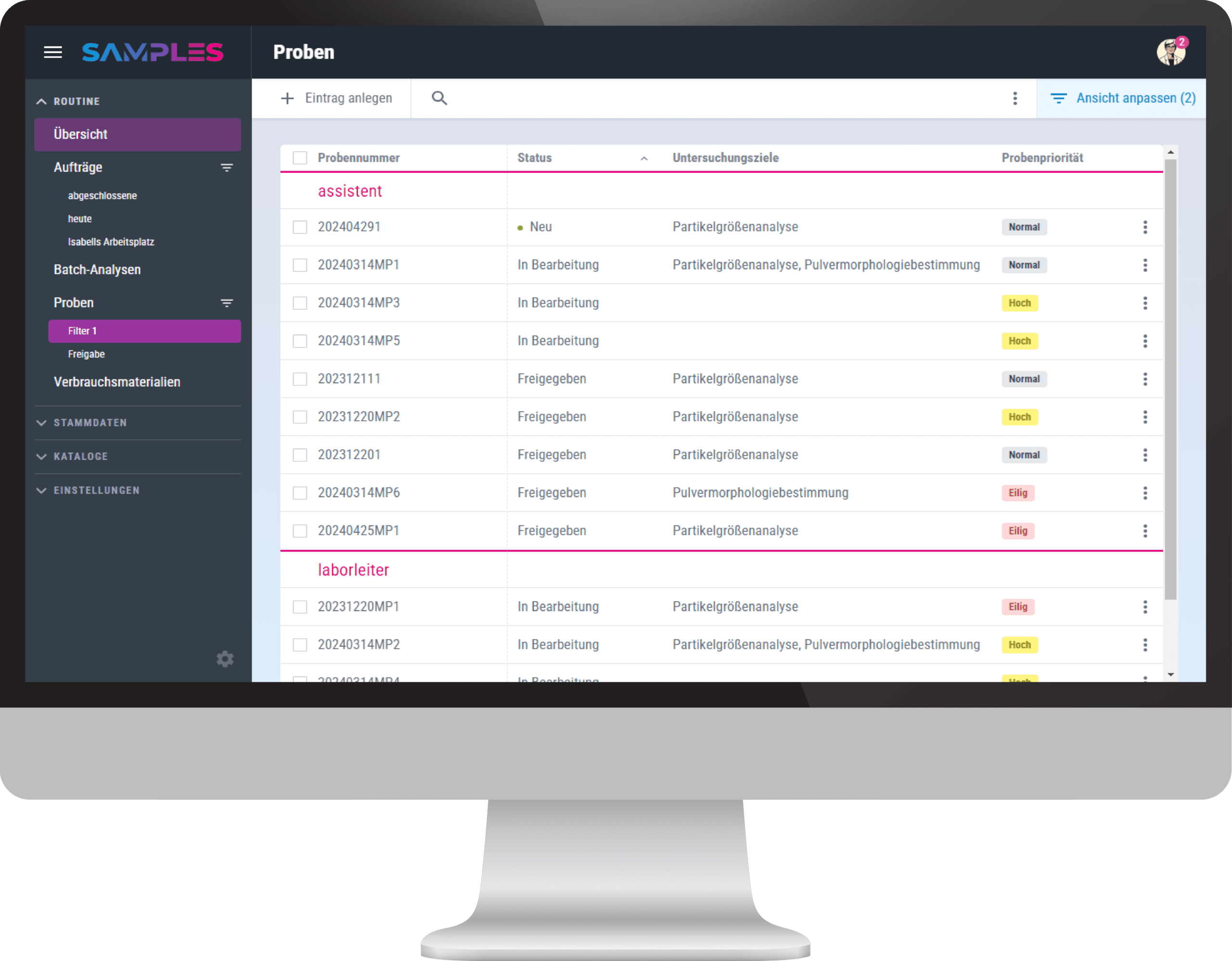
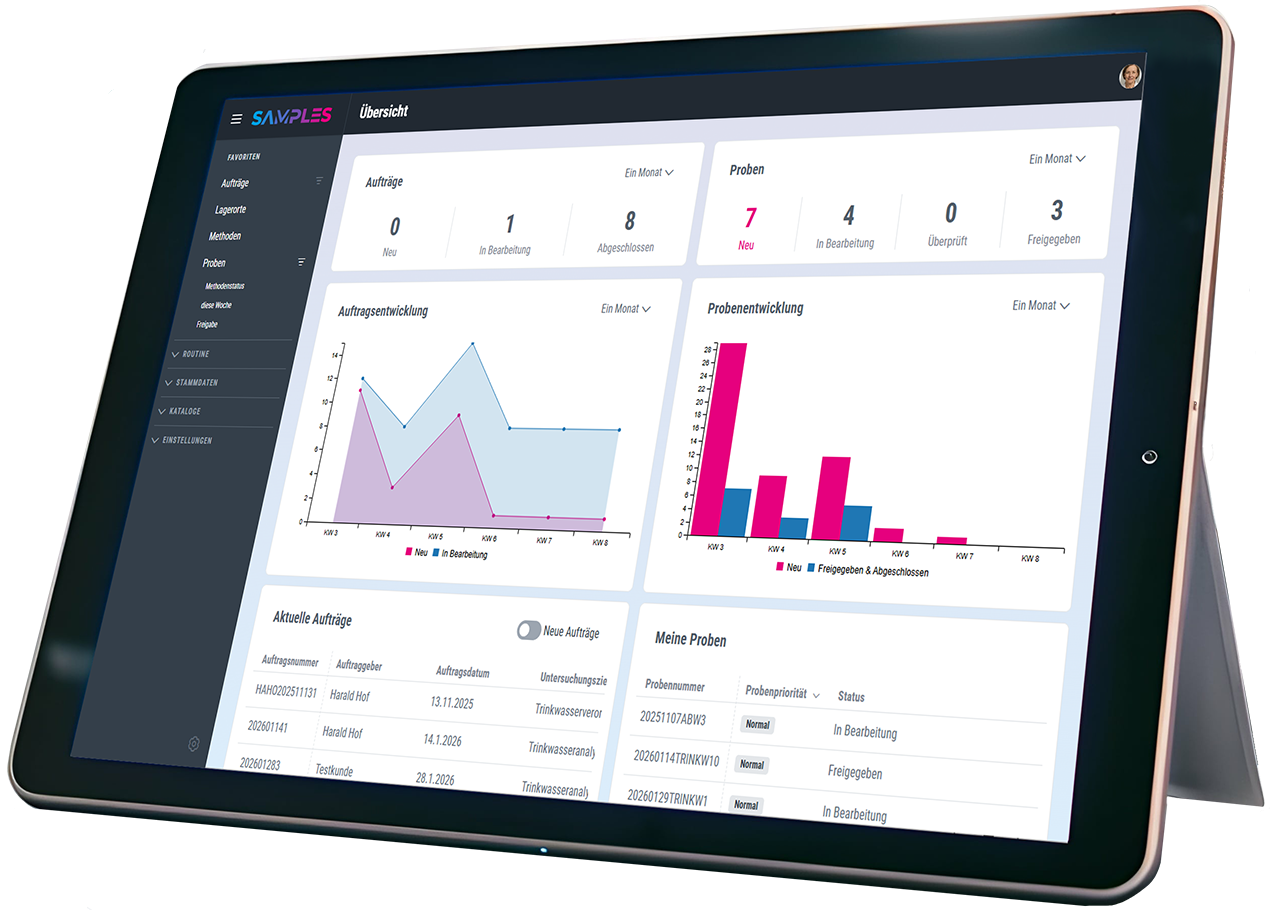
Simply configure your individual views with just a few clicks and SAMPLES will give you all the information you need right now – and only this information. You can easily hide the rest.
Further developing best practices
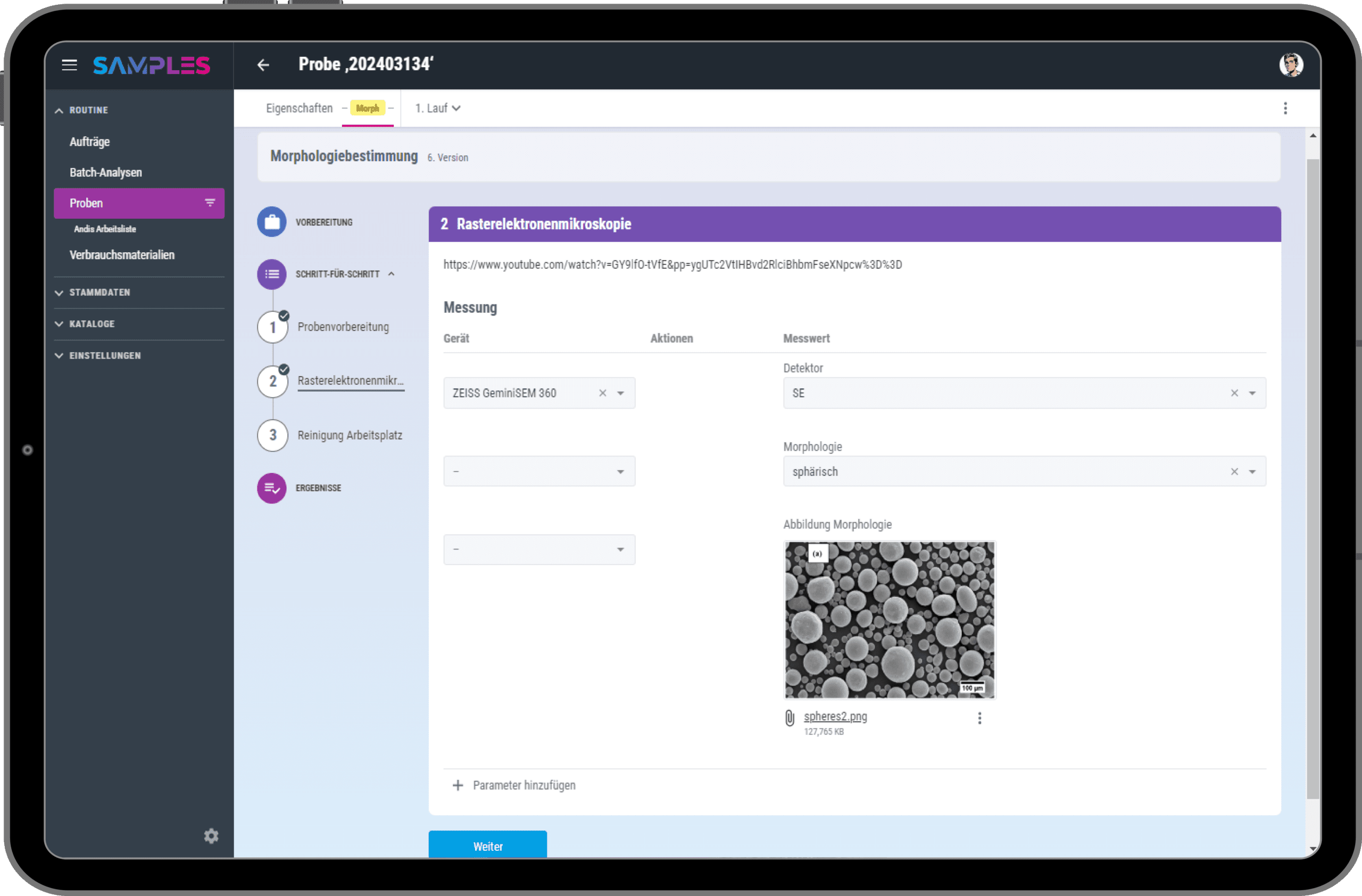
Have you developed a new formulation for the preparation of a new material or improved an existing routine? Share your knowledge in an individual method – for efficient teamwork!
Your individual configuration
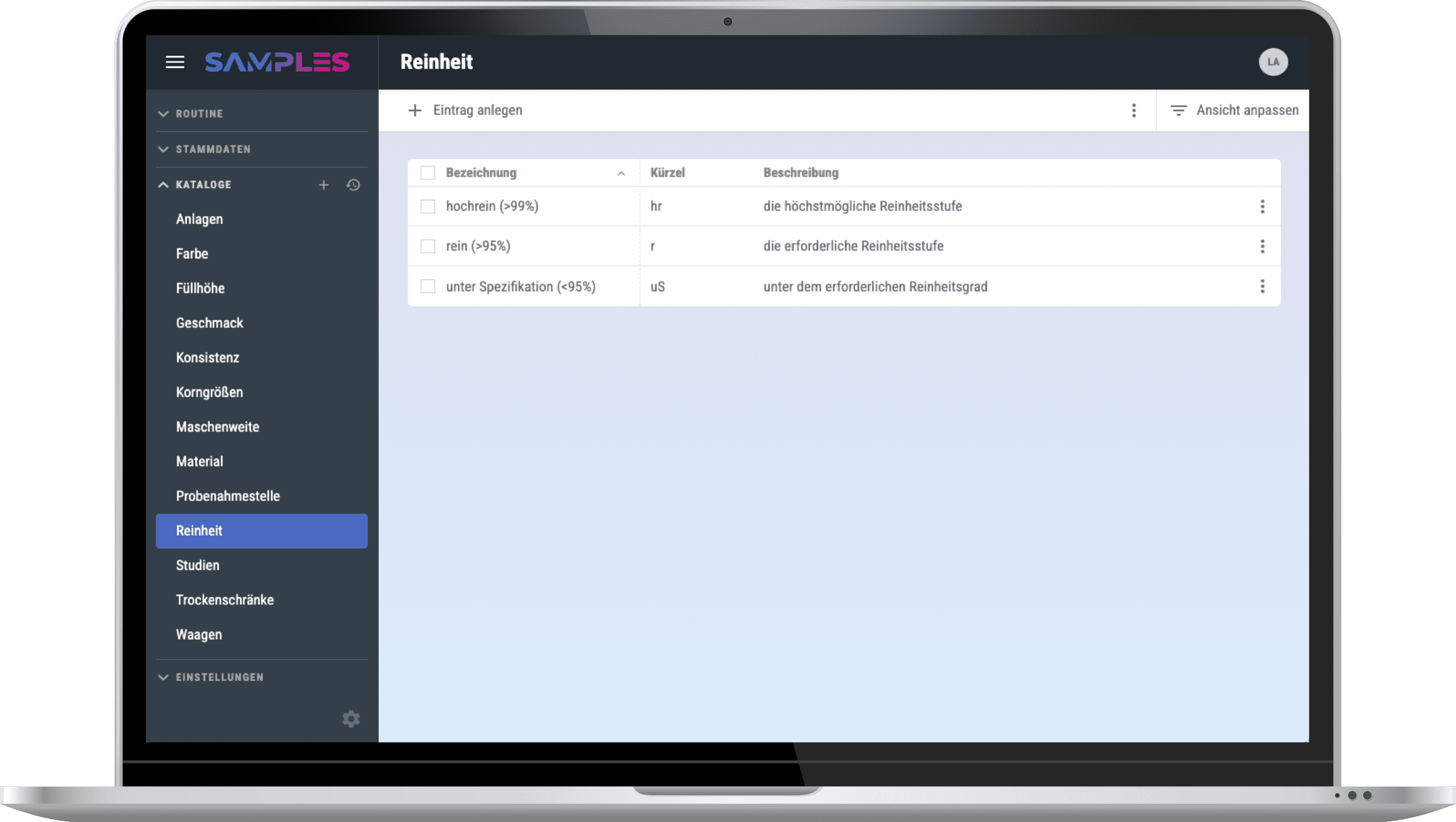
In SAMPLES you can easily set up everything yourself: parameters, methods, sample types, studies, etc.
For even more individualization, simply use user-defined fields and catalogs to map your individual process.
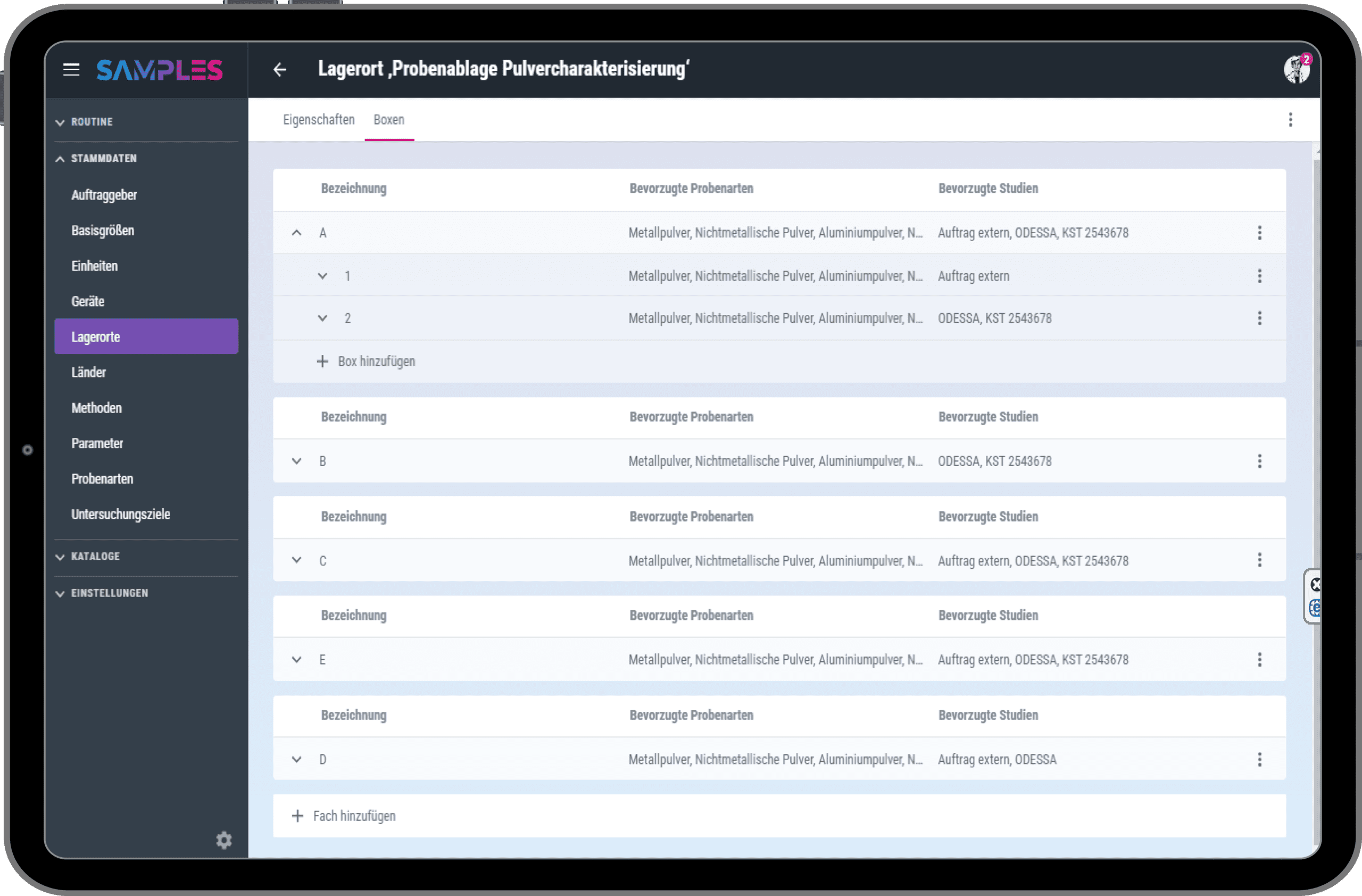
Linked methods and storage locations
There are hundreds of preparation and analysis methods in your laboratory, but only one that is suitable for your material – SAMPLES knows which one.
Do you have a sample that prefers cool and/or low-oxygen conditions? SAMPLES knows the preferences of such sample types and suggests a suitable storage location.
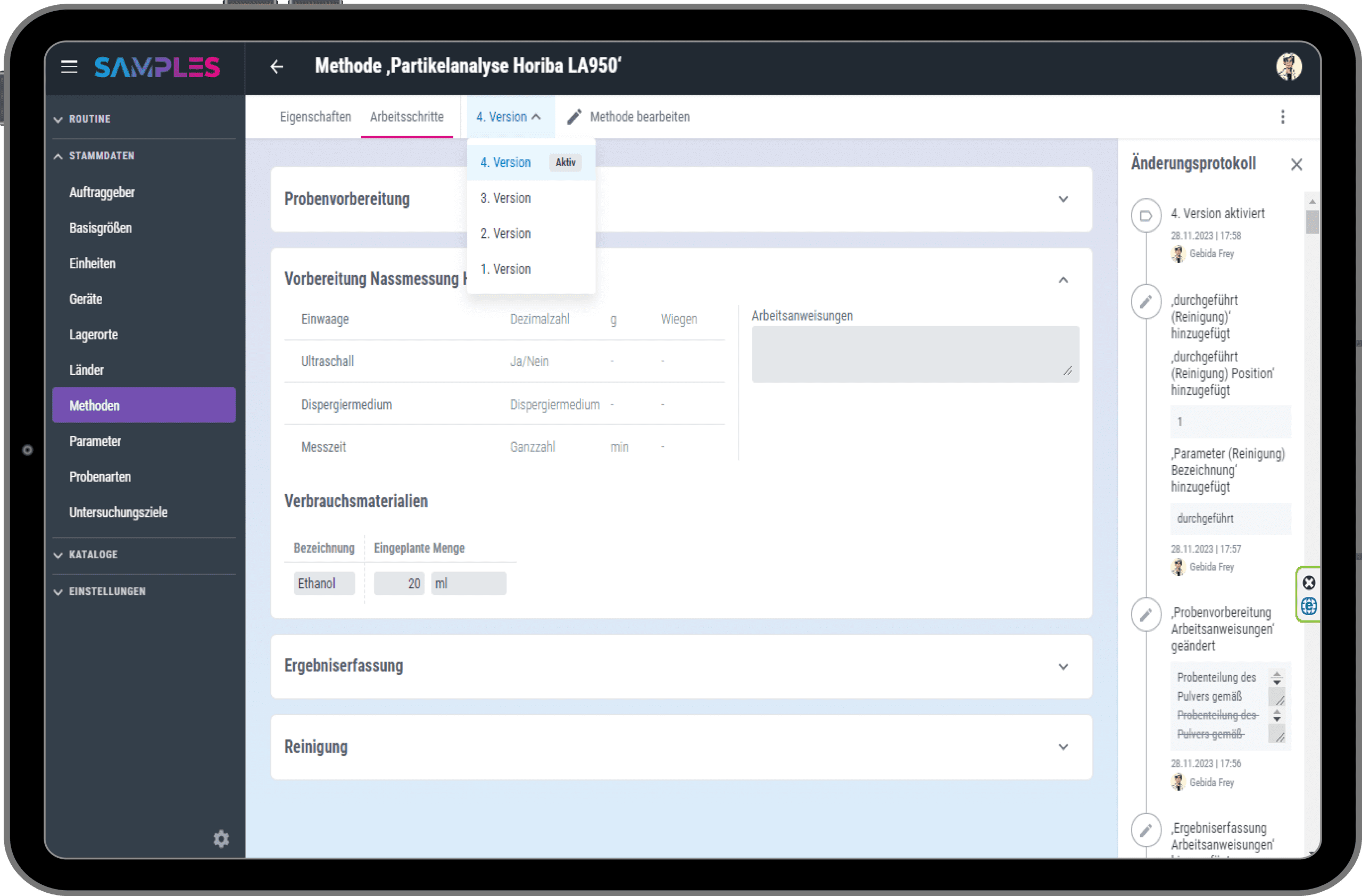
Back to the future with Audit Trail and Timeline
Nothing is as constant as change. Thanks to method versioning and the audit trail, you can track who made which changes and when at any time.
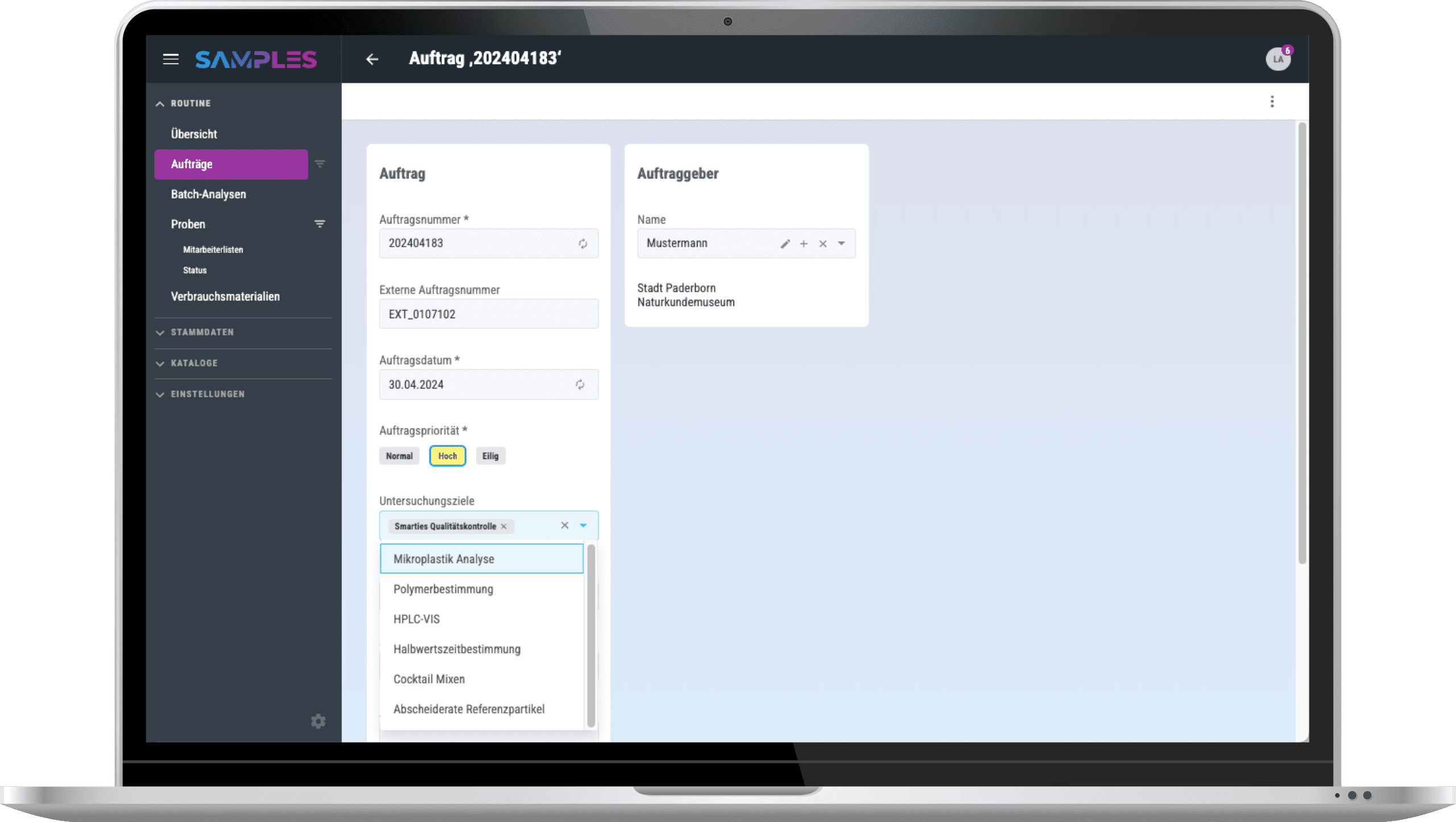
Orders, Test Plans, and Interfaces
You determine which tests are to be carried out with each of your samples.
If your samples are related to external test orders, these orders can be easily transferred to SAMPLES via an interface. The measurement results also find their way safely back to the client if required.
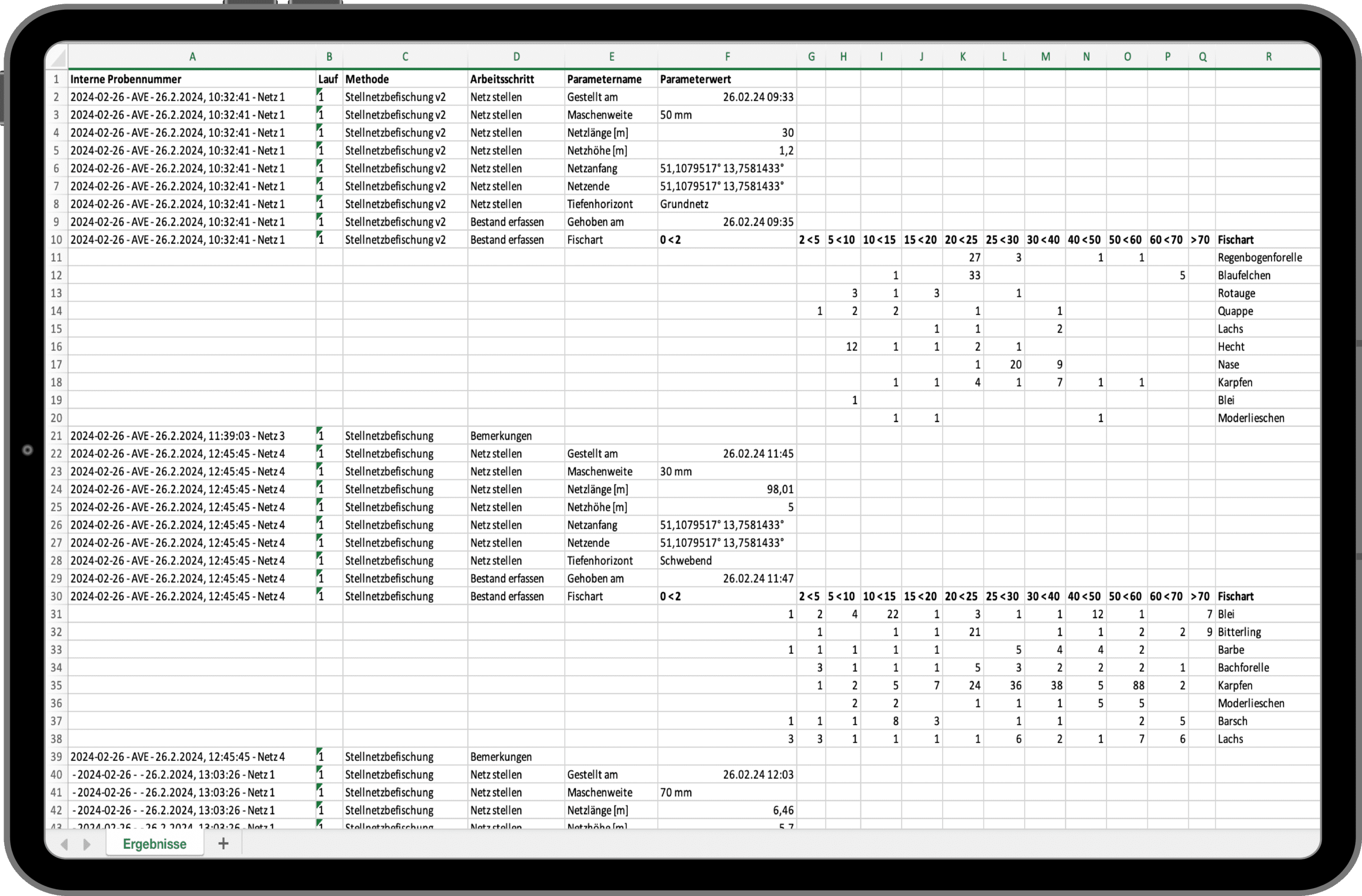
Export your data
You can export your sample lists, storage location assignments, and all your measurement results to Excel at any time for further use as you see fit.
Experience & test SAMPLES now!
We invite you to experience the award-winning SAMPLES in a compact live demo. If you are interested, you can also test SAMPLES free of charge and without obligation. We look forward to your registration.

Personal is better…
Do you have questions or are you unsure to what extent SAMPLES can meet your needs? Let’s get talking. I look forward to the exchange.
Frequently asked questions
Make an appointment for an initial consultation. We will address your concerns and clarify all the important points. We will take the time to answer your individual questions.
What is SAMPLES and how can it help my laboratory?
SAMPLES is a Laboratory Information Management System (LIMS), but also a Lab Execution System (LES).
Depending on how you use it, you can use SAMPLES to manage all the information about your laboratory equipment (devices, consumables, methods, etc.) and the laboratory routine, i.e. the samples and details of their analysis. You can even automate your processes by connecting devices and other software systems.
What kind of samples and data can I manage with SAMPLES?
From wastewater to pull samples, there’s a place for everything. SAMPLES is the chameleon of LIMS systems. Essentially, all departments can be set up with their specific instruments, methods, and sample types. Do you have special parameters? No problem—you can even configure measurement variables and units yourself and add to them at any time!
Is the LIMS compatible with other systems used in the laboratory?
Of course. SAMPLES is an absolute team player! Depending on which interface the other system offers, we can implement the connection to all possible systems (ERP, CRM, order portals, etc.). Connection to device and measuring systems for the automation of your laboratory processes is also possible.
How do I start setting up SAMPLES?
As a rule, it makes the most sense to start with a laboratory process incl. of all master data, etc. in SAMPLES and to refine it over a test period. With the knowledge gained, it is easy to gradually transfer further processes.
Although the system makes setup easy, it still takes some time to get everything set up. No problem! We also offer system setup as a service. You decide the scope—anything is possible, from basic assistance to a complete setup.
Can I import existing data into the LIMS and how does it work?
Yes, in principle you can import existing data at different points. The decisive factor here is the form in which the required data is available. We are happy to support you with this as part of the system setup.
How can I generate and customize reports?
Once the measurement results have been approved, you can create a report for each order. To do this, you need just one click to automatically generate and attach a PDF report from the stored template. You can even change the data that appears in the report during the test.
What operating models are there?
SAMPLES is usually hosted on our Microsoft Azure Cloud. However, if necessary, it can also be rolled out on premise on your servers.
How does the LIMS secure my data and guarantee data protection?
As part of our quality and IT security management, we place the highest value on the security of your data.
The systems are usually hosted on our Microsoft Azure Cloud and benefit from Microsoft’s high security standards. However, if necessary, they can also be rolled out on premise on your servers.
In cloud mode, the data can be stored either in Western Europe (standard hosting) or on servers in Germany (premium hosting).
What happens if I do not have a connection to the Internet?
SAMPLES is a web application. Data created in SAMPLES is stored online or in your internal network if you opt for the on premise version.
A stable Internet connection is required for cloud operation. We offer an optional offline-capable app for sampling.
How are updates and upgrades for SAMPLES handled?
SAMPLES is alive and growing. Our development team works daily to add and improve features. Technical updates are provided on a regular basis and we offer extended functionality as an optional upgrade.
What training options are available?
Sure! In addition to a manual in the app and video tutorials in our media library, we also offer training courses with our service partners. Whether at your premises, at one of our locations or remotely – we will find a suitable solution!
What kind of technical support is available?
In addition to assistance from our support team, we also offer help for self-help: you can find video tutorials for many work steps in our media library.