
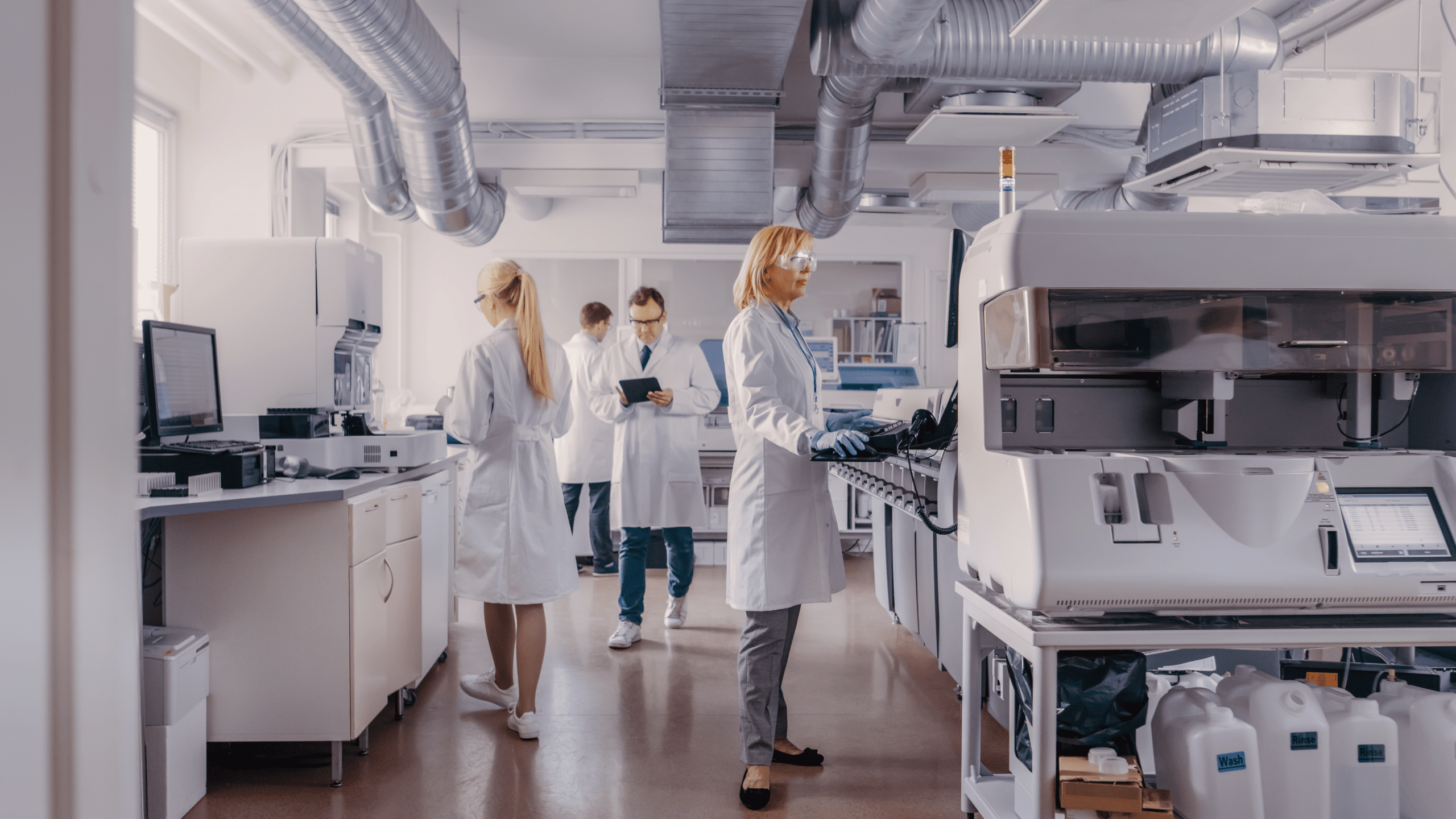
The LIMS for
Laboratory Automation
Use SAMPLES to integrate your laboratory devices, sensors, robots and analysis software into efficient workflows and manage them conveniently and efficiently.
Maximum performance and connectivity in the lab
SAMPLES is your LIMS, ELN and LES that connects you to the applications and devices you require using state-of-the-art, open interfaces – regardless of whether they are new or existing devices.
Our promise of maximum performance and connectivity offers you almost unlimited possibilities for integration and automation in the laboratory – and is future-proof. We also keep an eye on the latest interface standards such as LADS or SiLA-2 and actively drive these developments forward.
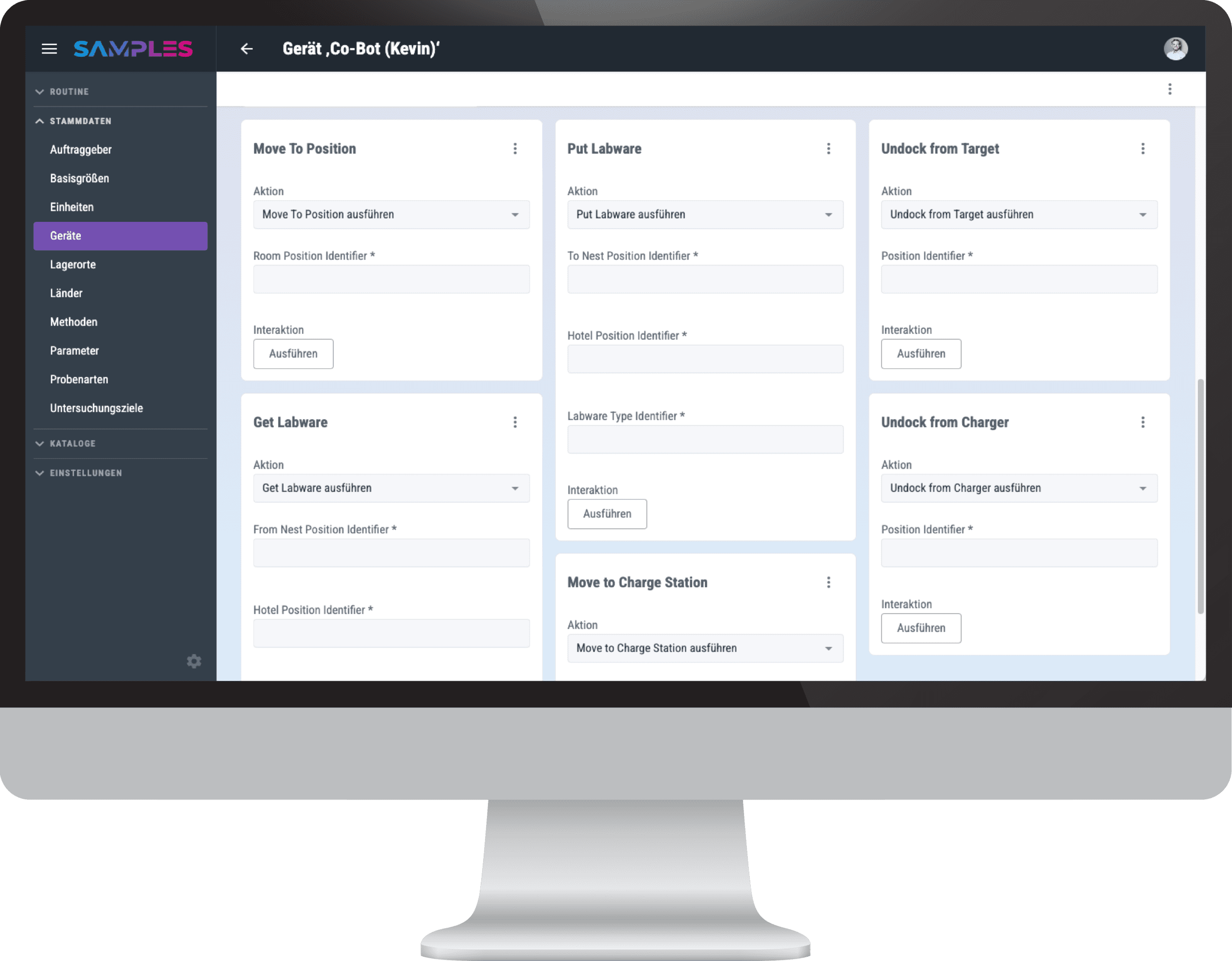
- Lab devices
- Actuators & sensors
- Robots & Cobots
- Analysis software
Your laboratory of the future – now
To remain competitive in the future, device integration and automation are essential: they shorten execution times through optimized processes, reduce the risk of errors, and relieve employees from inefficient, manual tasks – from logging to analyzing and calculating, all the way to evaluating and visualizing results.
SAMPLES equips you today with smart functionalities and reliable security for current and future requirements – right up to the use of solutions with artificial intelligence.
- Integration of new and existing devices
- Lab devices are automatically configured
- Assisted step-by-step instructions (LES)
- Reading measurement data directly from the device
- Automated evaluations of raw data
- Digital documentation of all processes
- Minimized risk of error
- Motivated staff with time for what really matters
- Implementation of 24/7 operations and high throughput
Integrate Laboratory Devices
Almost anything is possible…
SAMPLES has everything you need to integrate your laboratory devices quickly and easily. If they have a modern driver based on LADS / OPC-UA or SiLA-2, they are virtually available in the LIMS via Plug & Play.
But older devices can also be made network-compatible through an adapter. Together with our partners, we will be happy to advise you on these and develop the drivers. Once provided, you can then use them as often as you like.
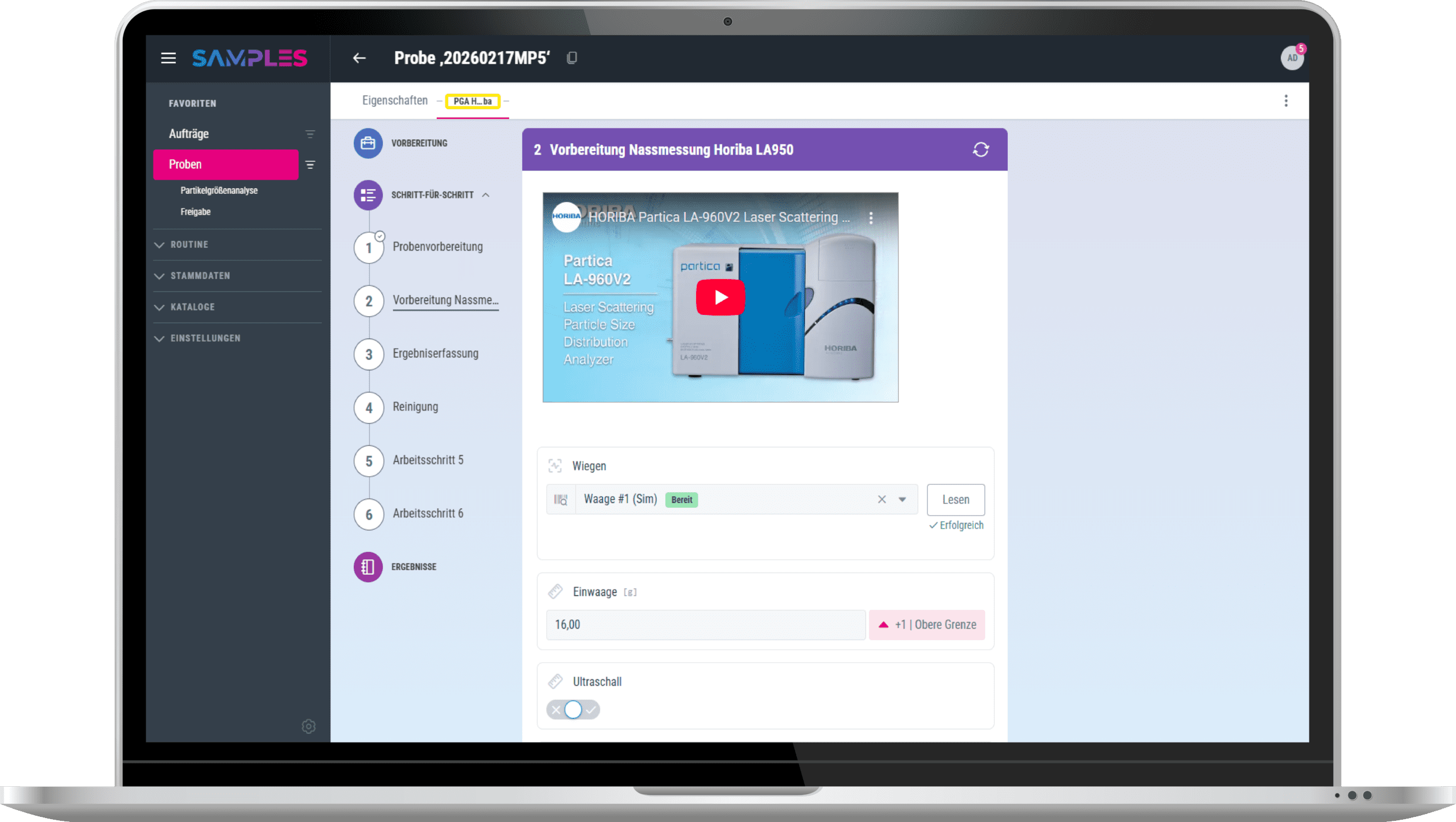
- SiLA-2
- LADS
- MQTT
- Edge Device
- AnIML
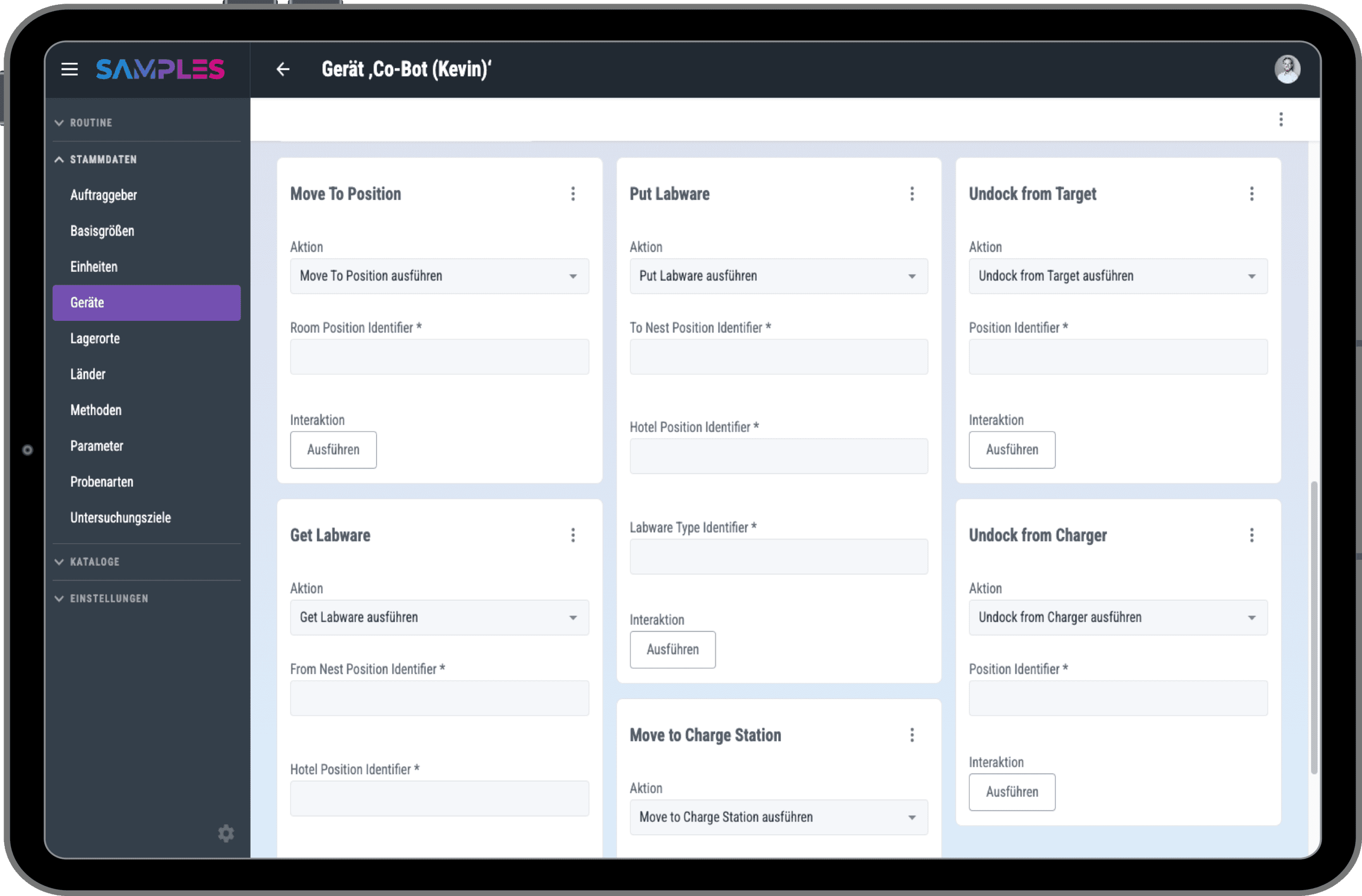
Provision of features
Once the desired device has been integrated, it provides the available properties of its interface in the SAMPLES device setup.
These are available to you there for manual execution. This allows you to test all functions or execute them manually at any time.
Simple configuration
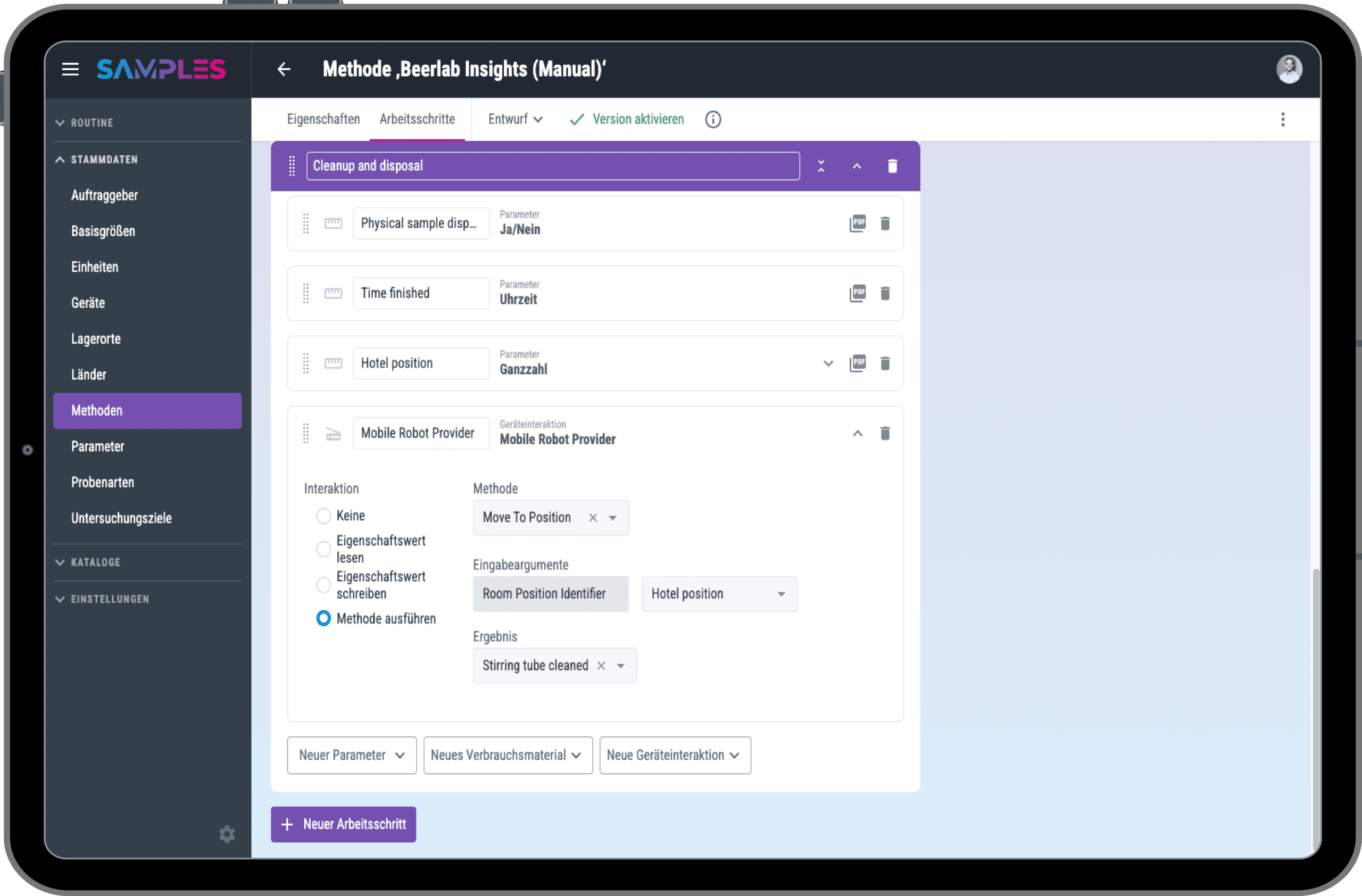
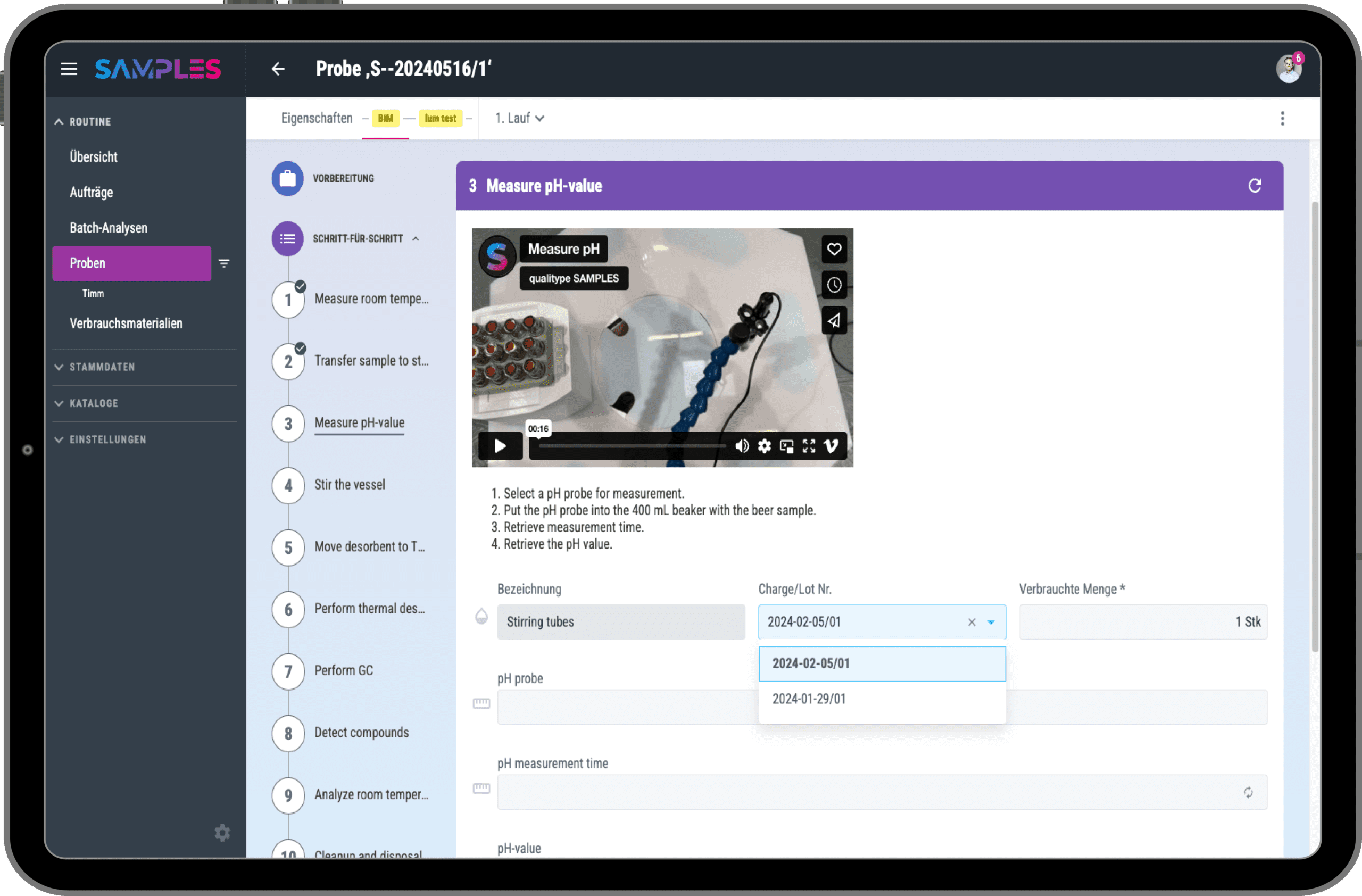
For semi-automatic or fully automatic device interaction, you can simply implement the desired function using a method. Executing a method reduces interaction with the devices to entering the correct input parameters (or their presetting) and starting the method.
Three interaction options are available for configuration:
1. Transfer values from a field to the device
2. Send values from the device to a field
3. Perform an action on the device
Assisted device integration
After starting the method, it can be processed step by step according to the configuration. The transfer of measurement parameters is carried out automatically by the device. Once the parameters have been transferred, they appear in real time on the screen.
In the case of full automation with the support of a workflow engine, the method progresses step by step on its own.
Use Case: Device Integration for analytica 2024
Together with six partners, we have mapped out a specific semi-automated workflow for the special exhibition “Digital Transformation.” Using the example of analyzing a beer sample with numerous individual devices, SAMPLES acted as the centerpiece and timekeeper.
You can find out more in this video or in our special on this topic.
Automate evaluations
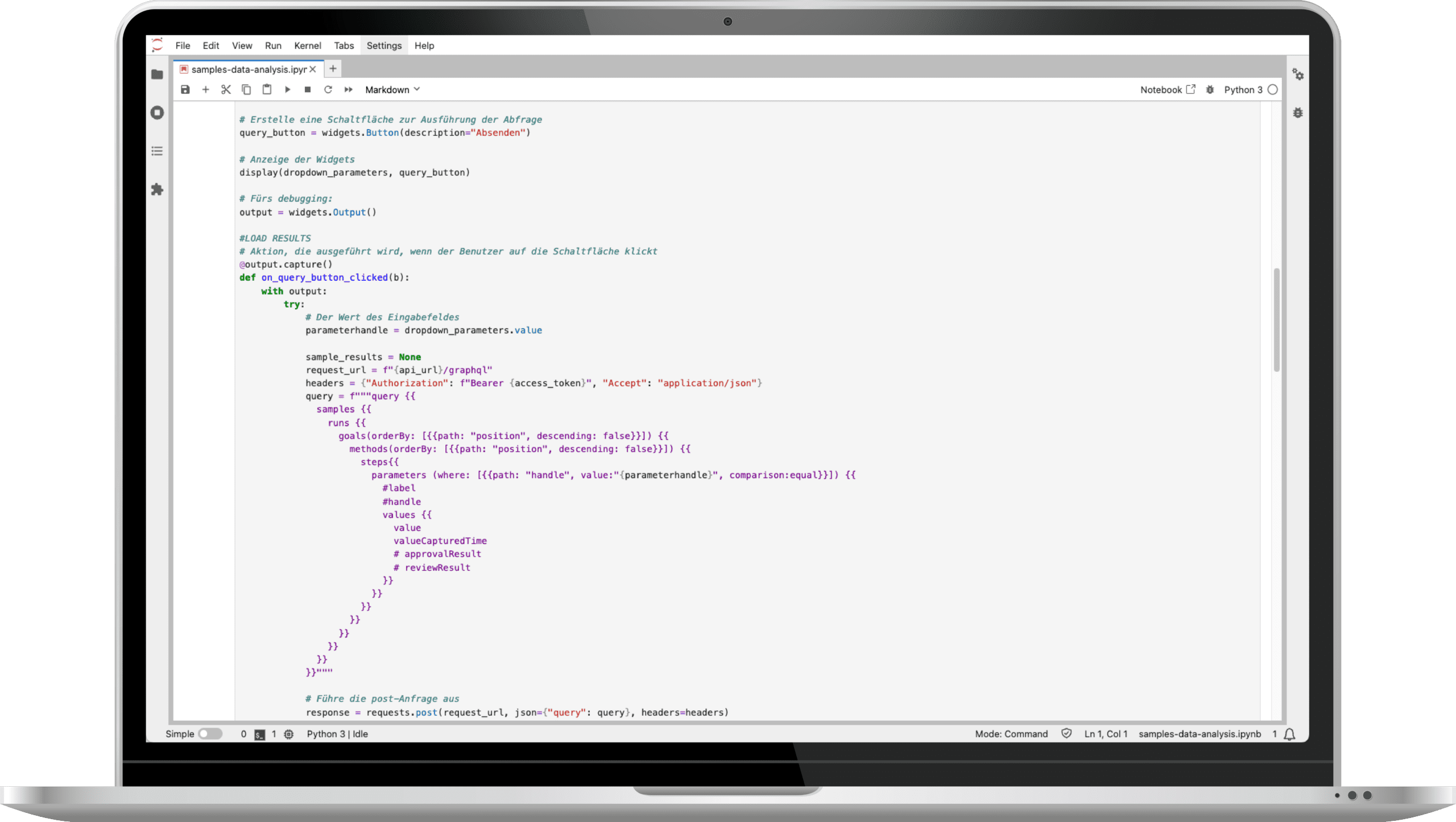
Are you already using software for your routine evaluations that you would like to continue using? With SiLA and LADS, Python-based analysis scripts, such as those written in Jupyter Notebook, can be easily integrated into SAMPLES as a device.
The software continuously waits in the background to receive measurement parameters from SAMPLES, calculates the results, and returns them in an appropriate format.
Automate device control
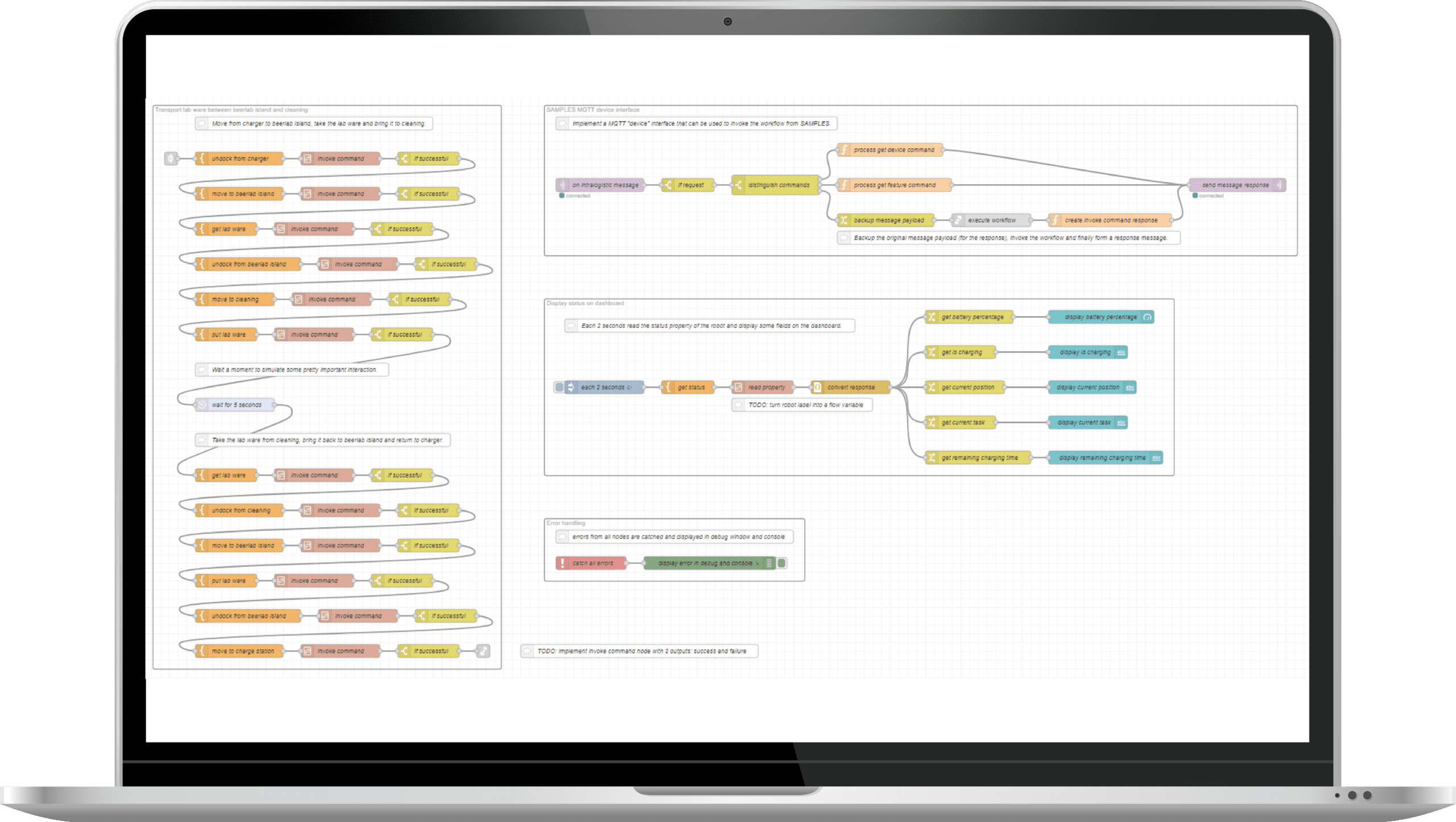
Do you want to integrate and automate devices such as plate hotels, pipetting machines or cobots, which are much more complex in their processes than scales, stirrers or pipettes?
To control such processes with conditions, loops, status feedback, etc., SAMPLES uses workflow engines such as Node-Red or software from our partners UniteLabs and Splashlake that specializes in precisely such laboratory processes. Together we realize the best solution for your specific needs.
Automate methods & protocols
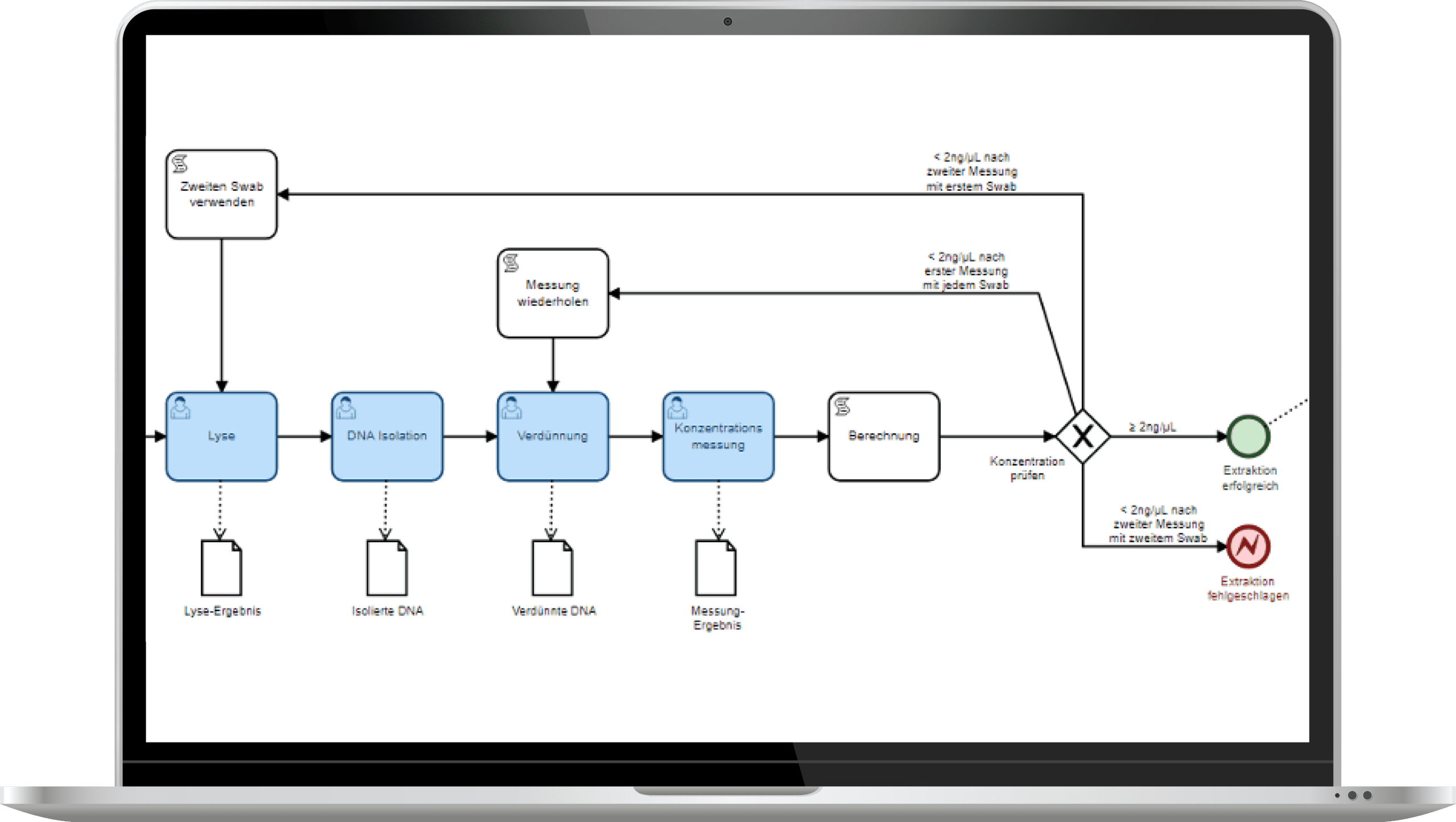
At the method level, processes can be defined using external workflow engines. To do this, you can import LES workflows in BPMN file format into SAMPLES and create method flows from them.
Currently, SAMPLES supports linear workflows. This is currently under development in order to be able to offer you support for complex workflows in the near future. In projects, we prefer to use the Camunda workflow engine.
Experience & test SAMPLES now!
We invite you to experience the award-winning SAMPLES in a compact live demo. If you are interested, you can also test SAMPLES free of charge and without obligation. We look forward to your registration.

Personal is better…
Do you have questions or are you unsure to what extent SAMPLES can meet your needs? Let’s get talking. I look forward to the exchange.
Frequently asked questions
Make an appointment for an initial consultation. We will address your concerns and clarify all the important points. We will take the time to answer your individual questions.
What is SAMPLES and how can it help my laboratory?
SAMPLES is a Laboratory Information Management System (LIMS), but also a Lab Execution System (LES).
Depending on how you use it, you can use SAMPLES to manage all the information about your laboratory equipment (devices, consumables, methods, etc.) and the laboratory routine, i.e. the samples and details of their analysis. You can even automate your processes by connecting devices and other software systems.
What kind of samples and data can I manage with SAMPLES?
From wastewater to pull samples, there’s a place for everything. SAMPLES is the chameleon of LIMS systems. Essentially, all departments can be set up with their specific instruments, methods, and sample types. Do you have special parameters? No problem—you can even configure measurement variables and units yourself and add to them at any time!
Is the LIMS compatible with other systems used in the laboratory?
Of course. SAMPLES is an absolute team player! Depending on which interface the other system offers, we can implement the connection to all possible systems (ERP, CRM, order portals, etc.). Connection to device and measuring systems for the automation of your laboratory processes is also possible.
How do I start setting up SAMPLES?
As a rule, it makes the most sense to start with a laboratory process incl. of all master data, etc. in SAMPLES and to refine it over a test period. With the knowledge gained, it is easy to gradually transfer further processes.
Although the system makes setup easy, it still takes some time to get everything set up. No problem! We also offer system setup as a service. You decide the scope—anything is possible, from basic assistance to a complete setup.
Can I import existing data into the LIMS and how does it work?
Yes, in principle you can import existing data at different points. The decisive factor here is the form in which the required data is available. We are happy to support you with this as part of the system setup.
How can I generate and customize reports?
Once the measurement results have been approved, you can create a report for each order. To do this, you need just one click to automatically generate and attach a PDF report from the stored template. You can even change the data that appears in the report during the test.
What operating models are there?
SAMPLES is usually hosted on our Microsoft Azure Cloud. However, if necessary, it can also be rolled out on premise on your servers.
How does the LIMS secure my data and guarantee data protection?
As part of our quality and IT security management, we place the highest value on the security of your data.
The systems are usually hosted on our Microsoft Azure Cloud and benefit from Microsoft’s high security standards. However, if necessary, they can also be rolled out on premise on your servers.
In cloud mode, the data can be stored either in Western Europe (standard hosting) or on servers in Germany (premium hosting).
What happens if I do not have a connection to the Internet?
SAMPLES is a web application. Data created in SAMPLES is stored online or in your internal network if you opt for the on premise version.
A stable Internet connection is required for cloud operation. We offer an optional offline-capable app for sampling.
How are updates and upgrades for SAMPLES handled?
SAMPLES is alive and growing. Our development team works daily to add and improve features. Technical updates are provided on a regular basis and we offer extended functionality as an optional upgrade.
What training options are available?
Sure! In addition to a manual in the app and video tutorials in our media library, we also offer training courses with our service partners. Whether at your premises, at one of our locations or remotely – we will find a suitable solution!
What kind of technical support is available?
In addition to assistance from our support team, we also offer help for self-help: you can find video tutorials for many work steps in our media library.